CRM
Balance and Payment History Visibility
Ledger visibility is here! We’ve partnered with select PMS providers to display resident ledger data directly inside Anyone Home. For properties with ledger integration enabled, Anyone Home users can now view a resident’s current balance and access a detailed payment history right from the guest card inside Anyone Home CRM.
At this time, Anyone Home supports ledger integration from Entrata, RealPage, ResMan, and Yardi exclusively, with additional PMS integrations coming soon. To activate ledger data integration, reach out to the Anyone Home Support team.
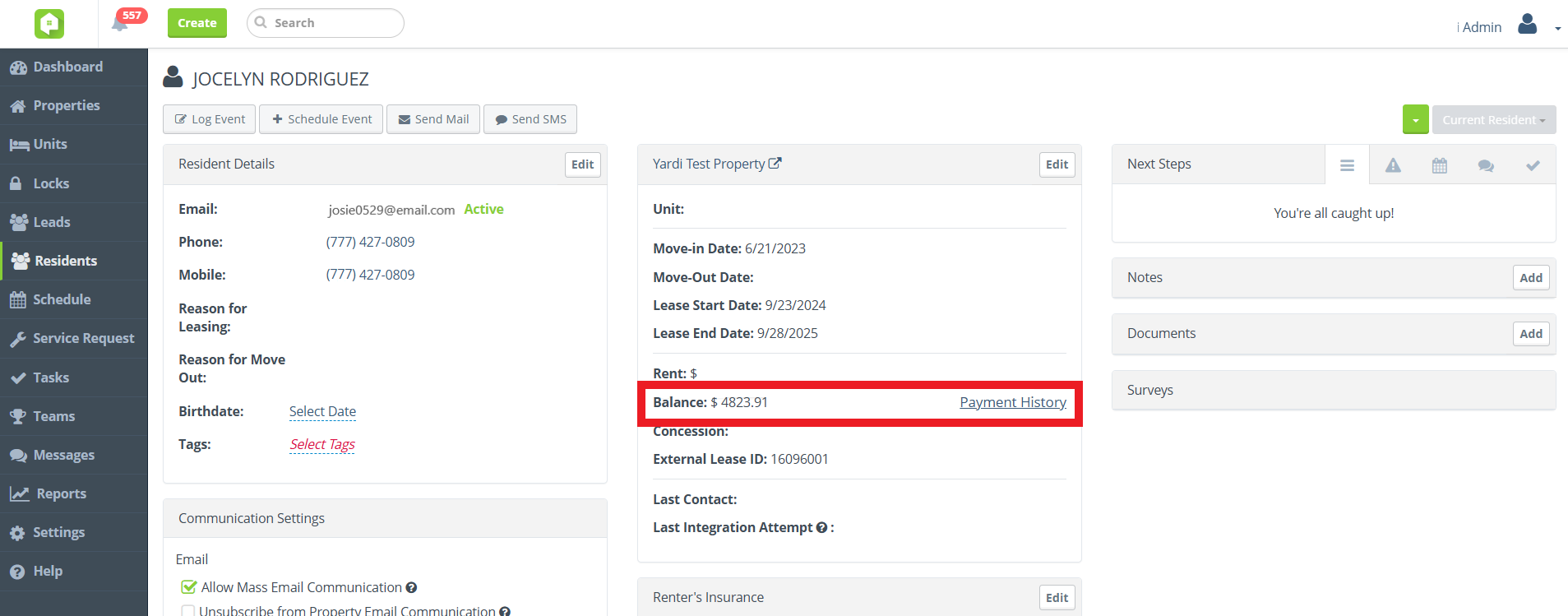
‘Balance’ field and ‘Payment History’ button on Resident GC
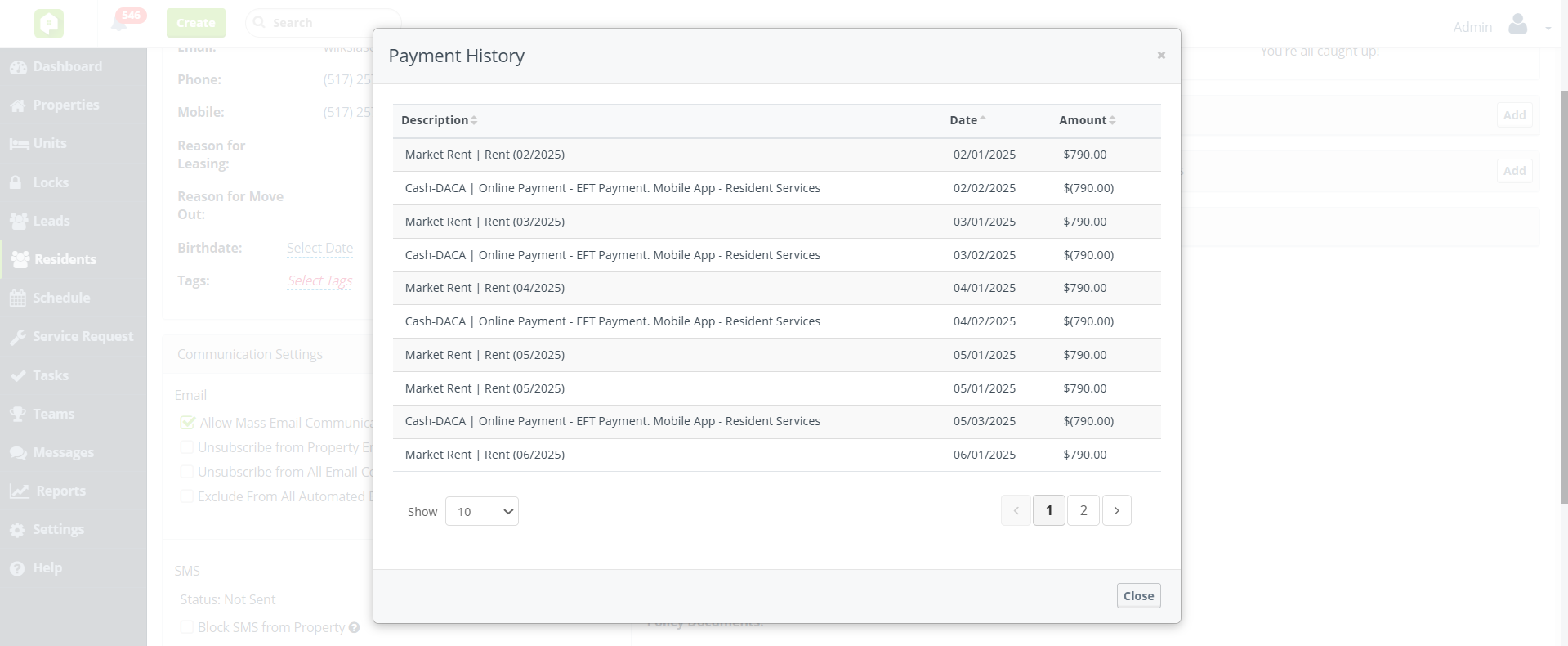
Payment History Popup Window
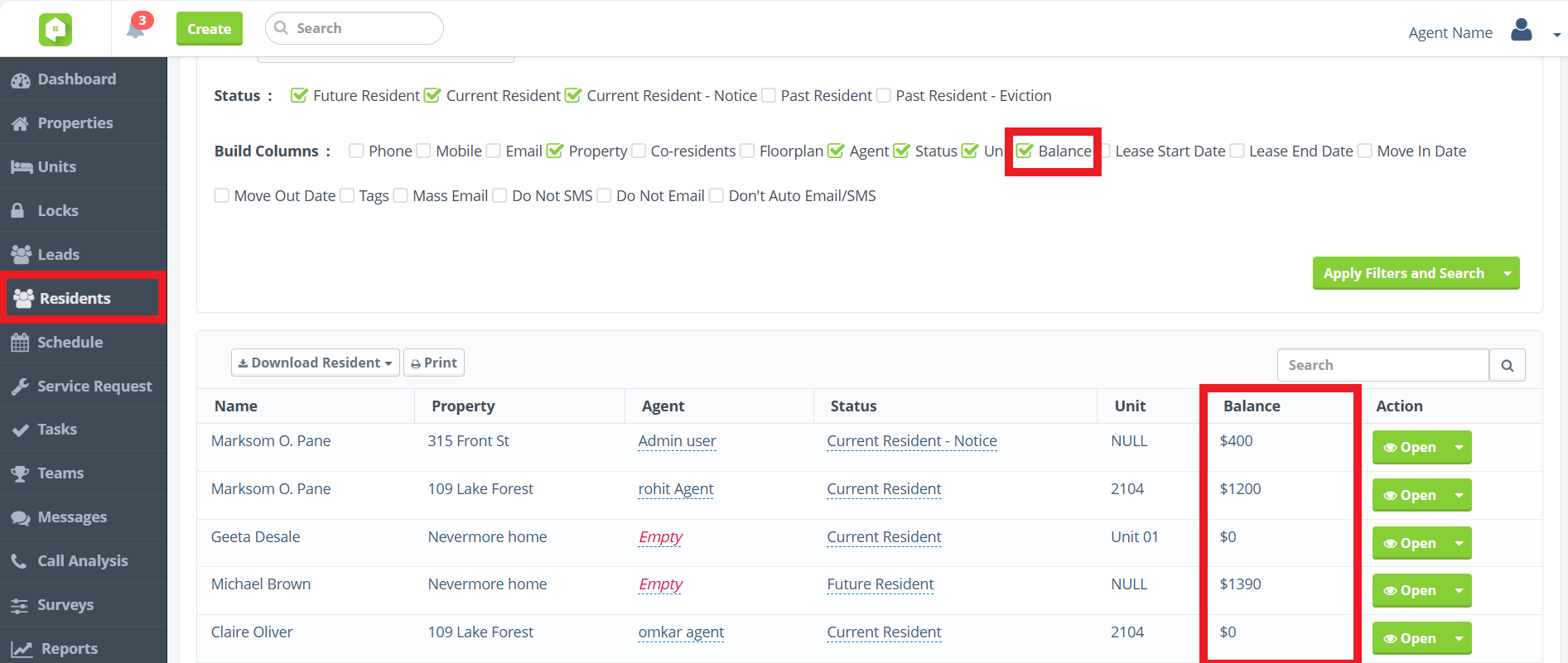
‘Balance’ column build option on Resident View
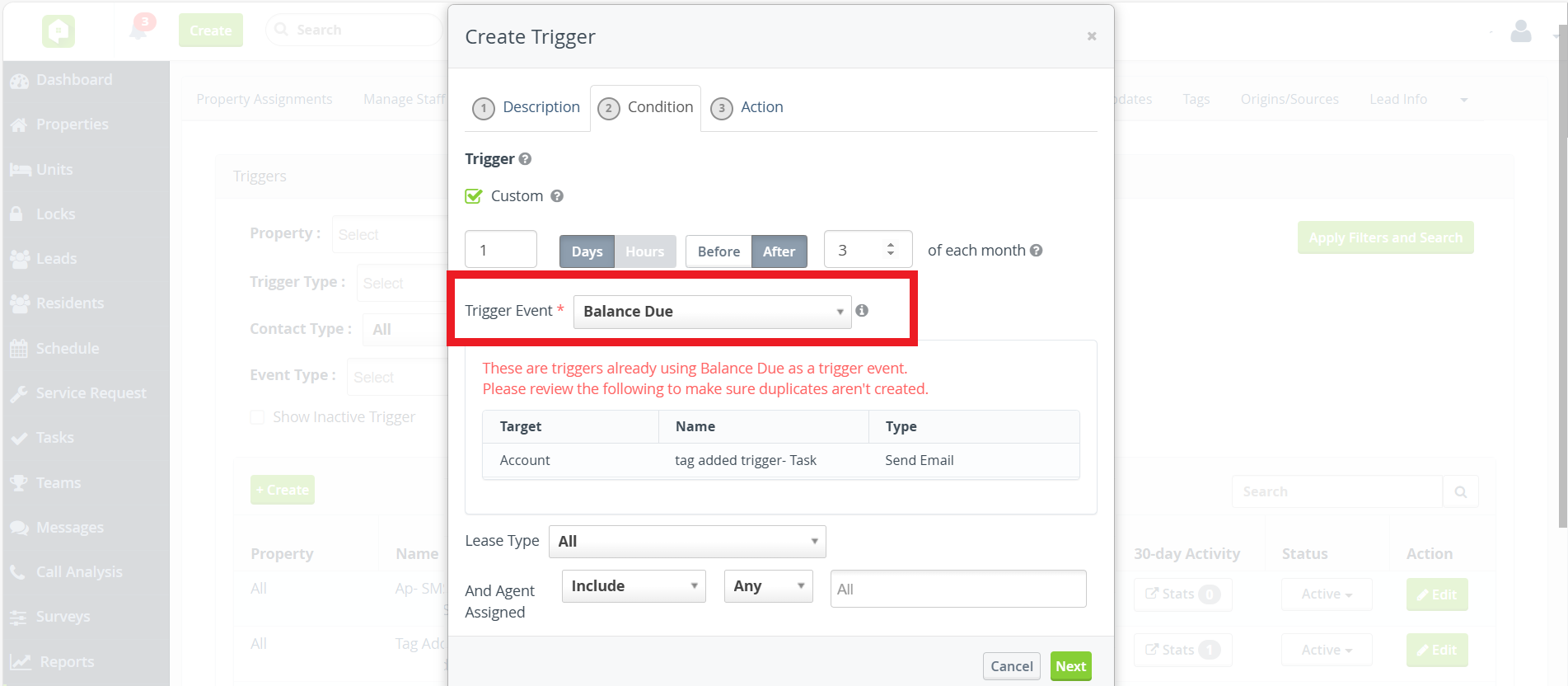
'Balance Due' Trigger Event
Never miss a chance to collect! The new Balance Due trigger event automatically sends templated emails to residents with overdue balances, right when it matters most. Set it to run monthly on a schedule that works for your team, either before or after the balance due date. These automated messages support dynamic merge fields for resident names, resident portal links, and property contact info, making each email feel personal and actionable.
Reach out to Anyone Home Support if you’d like to adjust your team’s trigger playbook to include the new Balance Due trigger event.
Please note that we are only pulling in balance-related data for select integrated PMS at this time, including Entrata, RealPage, ResMan and Yardi.
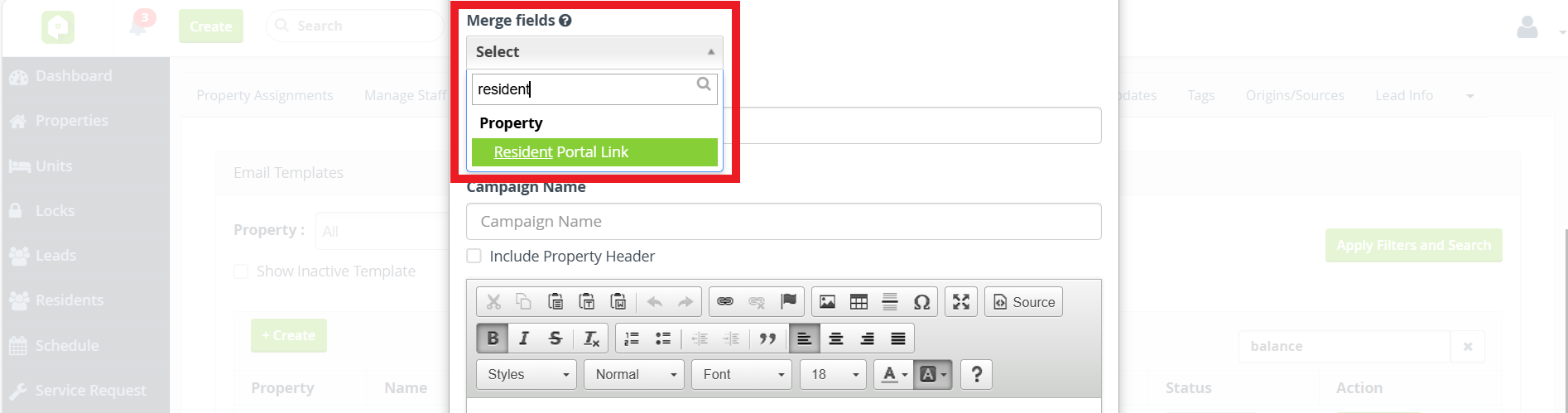
'Resident Portal Link' Merge Field
Help residents take action faster with direct access to their account! We’re excited to introduce the Resident Portal Link merge field, now available for use in email messages and communication templates. When added to templated or direct email communications, the Resident Portal Link merge field automatically pulls in the Resident Portal URL for the resident’s property. Use this merge field to prompt residents to view account details, make payments, or access community resources.
The property-level field that populates the Resident Portal Link merge field can only be updated by Anyone Home. To use this feature, contact the Anyone Home Support team and provide them with the URL you’d like to use for your property’s resident portal.
Reporting
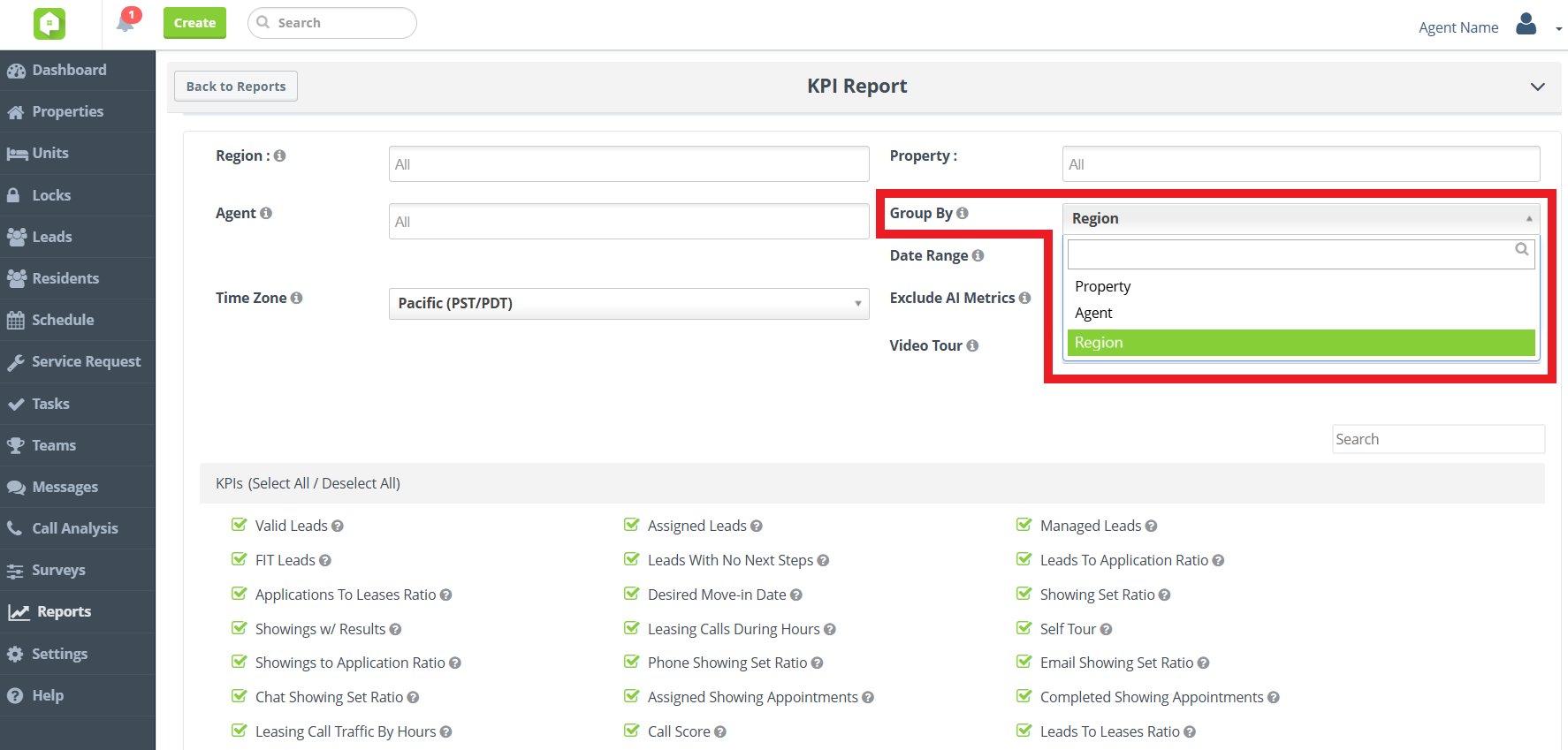
Group KPI Report by 'Region'
Power up your regional performance tracking! We’ve enhanced the flexibility of our KPI Report with a new ‘Region’ Group By filter option. Organize KPI data by region to analyze performance trends across geographic areas.
Please note that the KPI Report analyzes data from the New KPI Dashboard. To start using the New KPI Dashboard, reach out to your Anyone Home account representative or to Anyone Home Support.
Report Optimization Enhancements
Faster, smarter reporting is here! We’ve optimized the Agent Task Summary and Lead Progression reports in Anyone Home CRM, delivering quicker load times and smoother performance.
This update continues Anyone Home’s report optimization initiative, where we’re enhancing speed and efficiency across key reports. Keep an eye out for more optimized reports coming soon!
Dashboard KPIs
BETA Launch of New KPI Dashboard
Same KPIs, new UI! Approved users will now see the new and improved graphs and charts used for Key Performance Indicators (KPIs) on the Anyone Home Dashboard, with new property-performance breakdowns and fully customizable to fit each user type’s needs.
The existing KPI Dashboard will be replaced with our updated features in upcoming sprints. To take part in testing the New KPI Dashboard, reach out to your Anyone Home account representative or to Anyone Home Support.
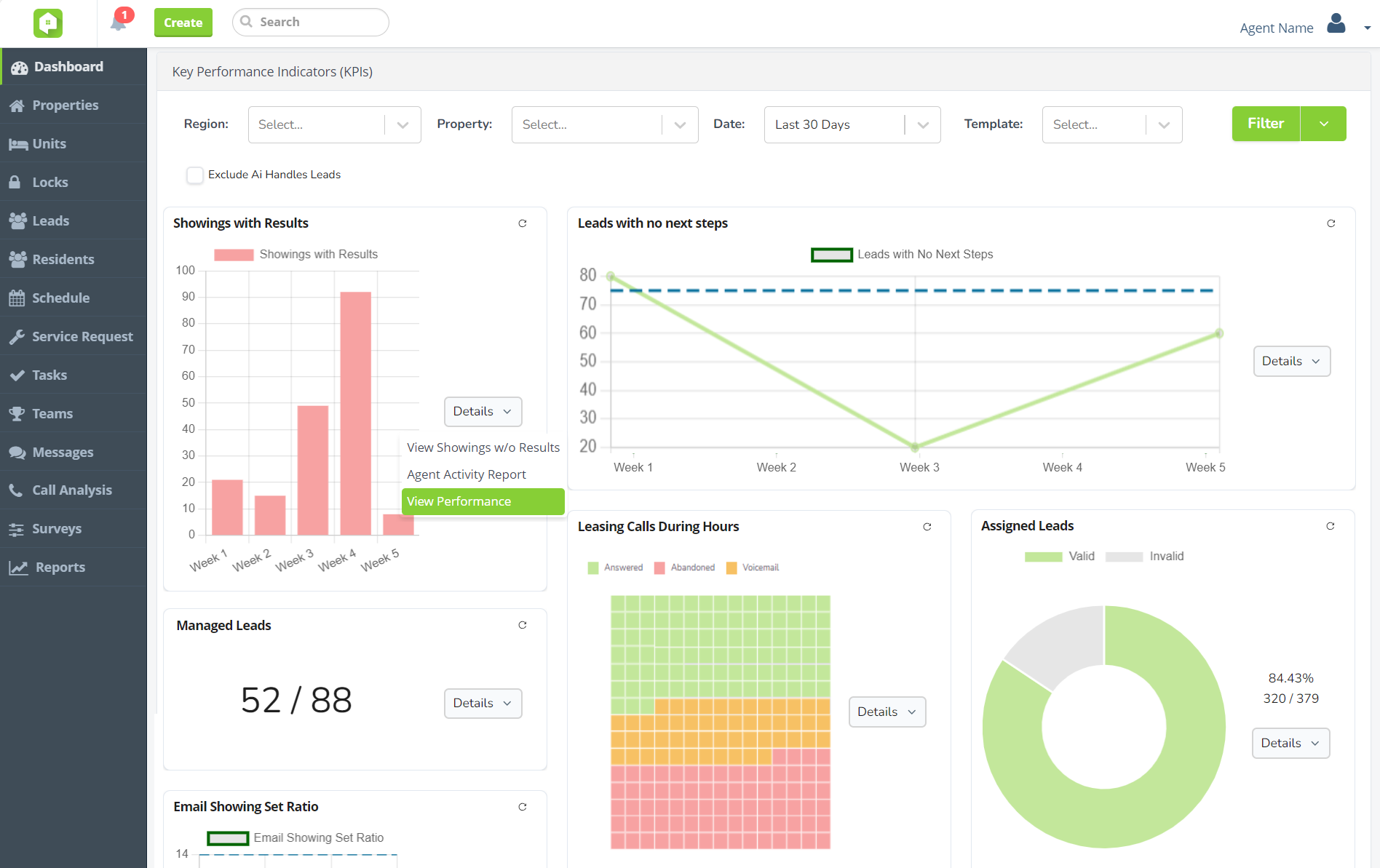
New KPI graphs and charts
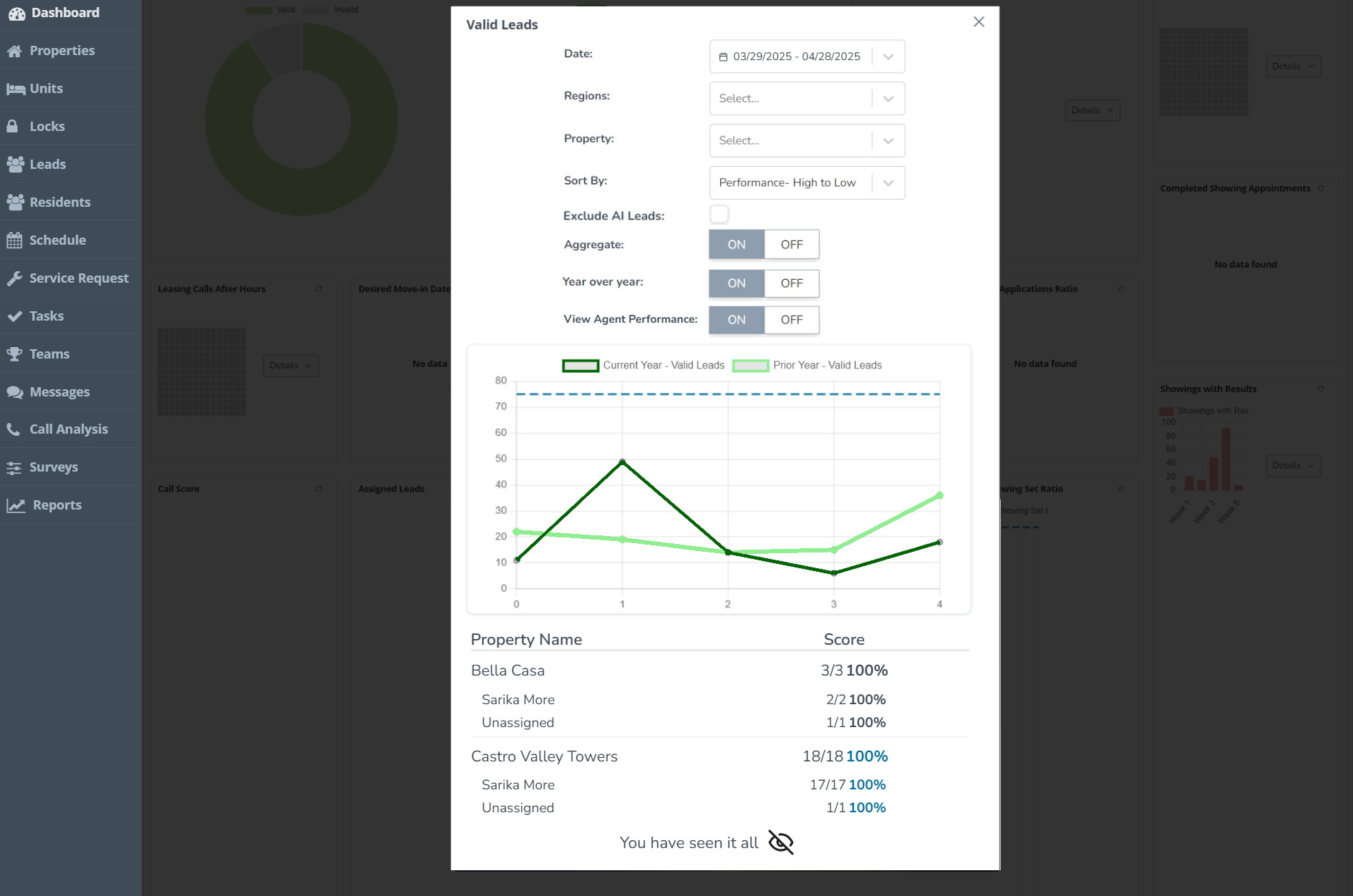
Property performance breakdowns
Next Release Date:
September 30, 2025
Future Releases
CRM
- Global Transition to New KPI Dashboard: Changes are coming the Anyone Home KPIs, with all clients transitioning to the new KPI Dashboard. Get started today by speaking with your Anyone Home account representative.
- Trigger Playbook Refresh: To make managing automated events and communications easier and more accessible, we’re redesigning the UI surrounding the trigger playbook inside Anyone Home CRM.
Integrations
- Click-to-Call PMS Integration: Calls made or received using Anyone Home CRM’s Click-to-Call services will soon be pushed to all client PMS options.
Triggers & Communications
- Property-based SMS Senders: To ensure opt-in compliance and improve the prospect experience, all SMS messages composed inside Anyone Home will soon be delivered exclusively from your property’s designated SMS number.