Tours
Dedicated Tour-related System Emails
Tour-related agent emails just got smarter! The original Tour Scheduled system email has been split into three distinct notification options—Scheduled, Rescheduled, and Canceled—giving your team the flexibility to customize which updates they receive.
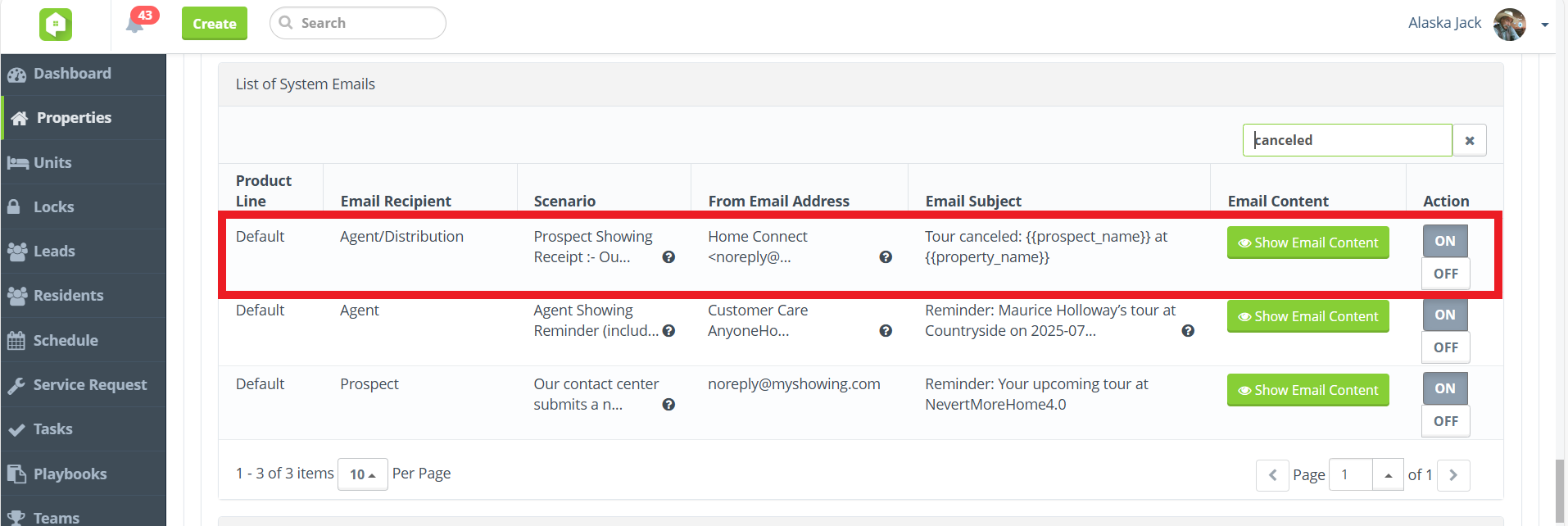
New ‘Tour Canceled’ System Email in Property > Property Settings > List of System Emails
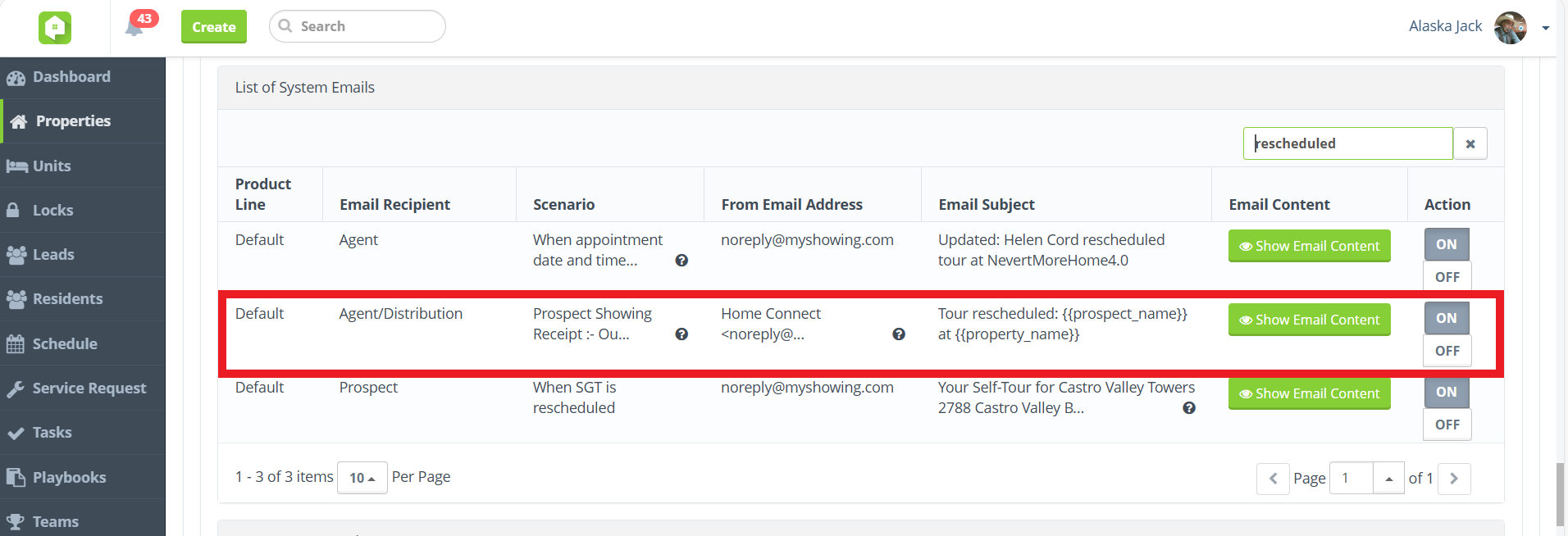
New ‘Tour Rescheduled’ System Email in Property > Property Settings > List of System Emails
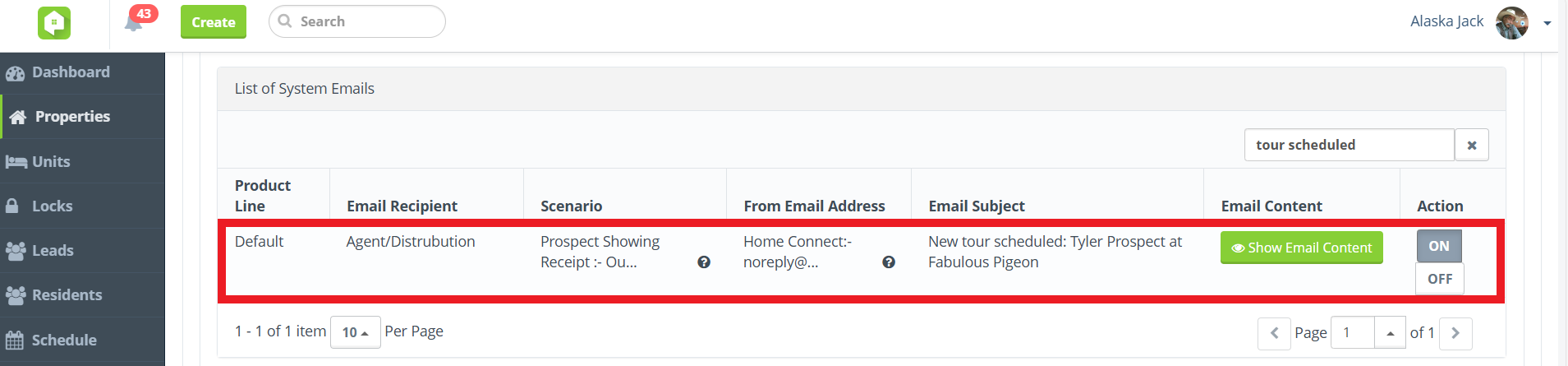
Existing ‘New Tour Scheduled’ System Email in Property > Property Settings > List of System Emails
Service Requests
Distinct Customer Service Request System Emails
Separate services, separate system emails! The original New Service Request system email has been split into two distinct notification options—maintenance Service Requests and Customer Service Requests—giving your team the flexibility to customize which updates they receive.
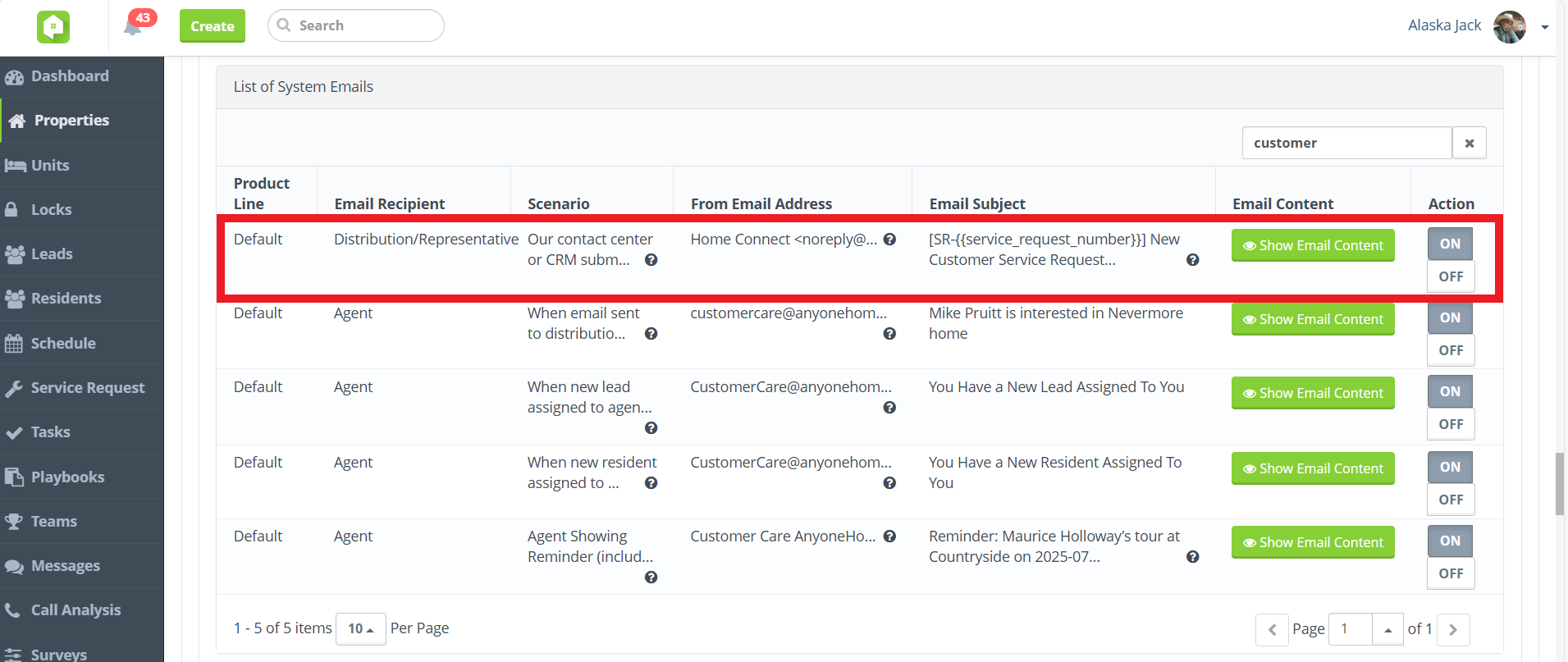
New ‘New Customer Service Request’ System Email in Property > Property Settings > List of System Emails
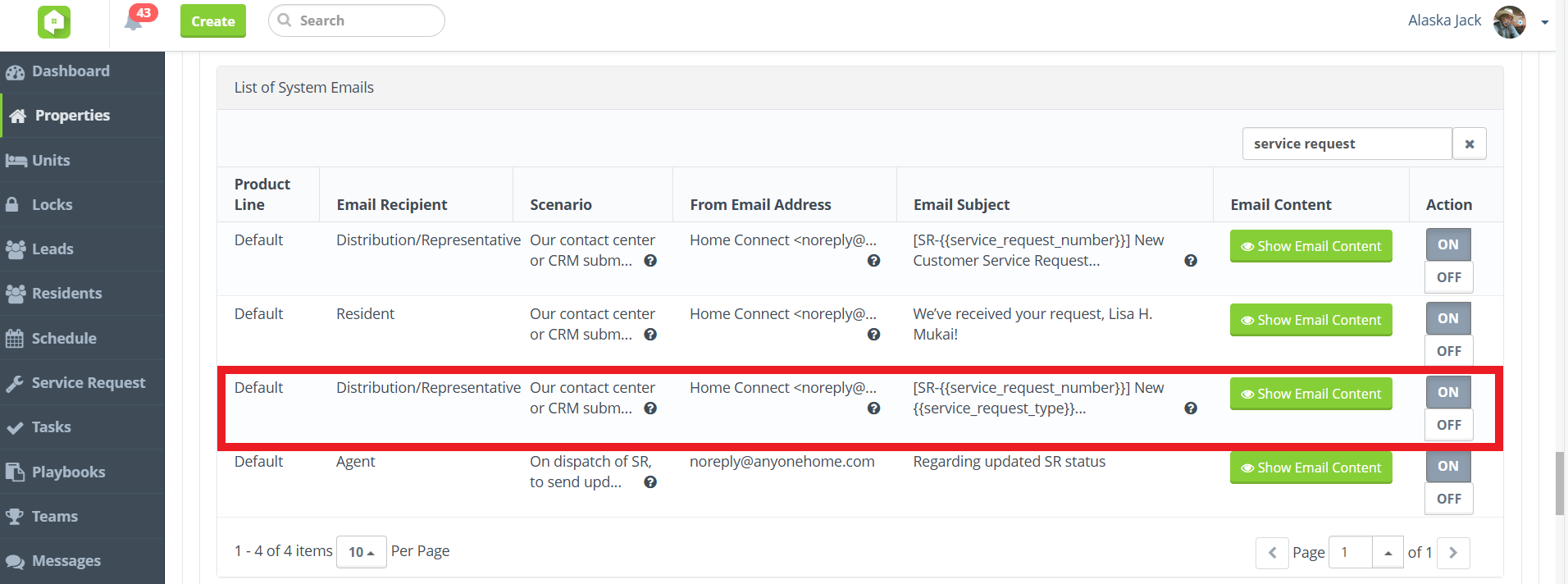
Existing ‘New Service Request’ System Email in Property > Property Settings > List of System Emails
Simplified Service Request Confirmation Emails
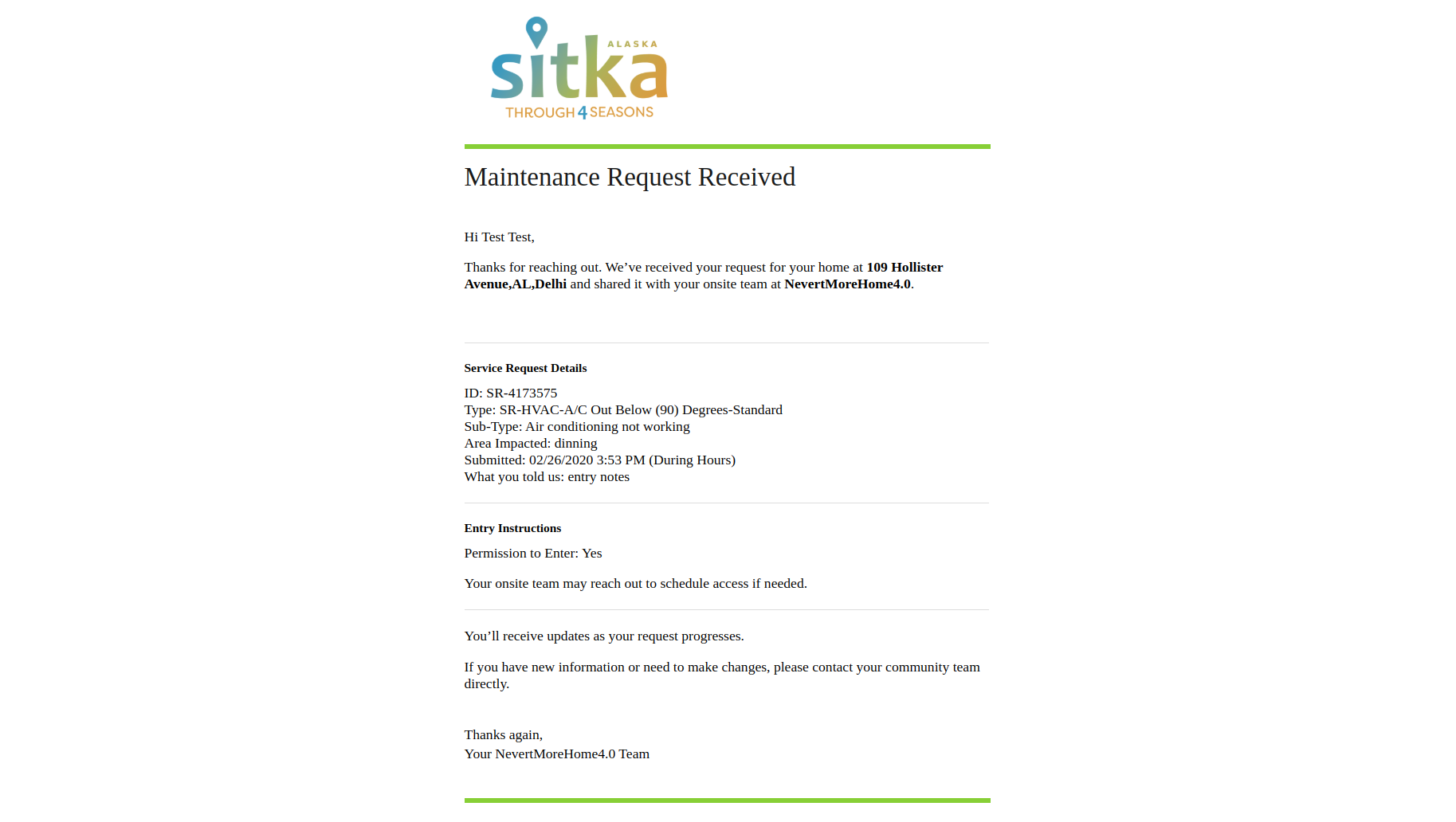
Streamlined, need-to-know info! We’ve simplified the resident-facing Anyone Home service request confirmation email to include only the most pertinent request details. This update should help reduce confusion and minimize follow-up questions from residents.
Reporting
New Date Range Option: 'Through Yesterday'
Data date customization at your fingertips! All reports inside Anyone Home will include new Date Range filter options that allow users to customize whether to include or exclude the current day’s data.
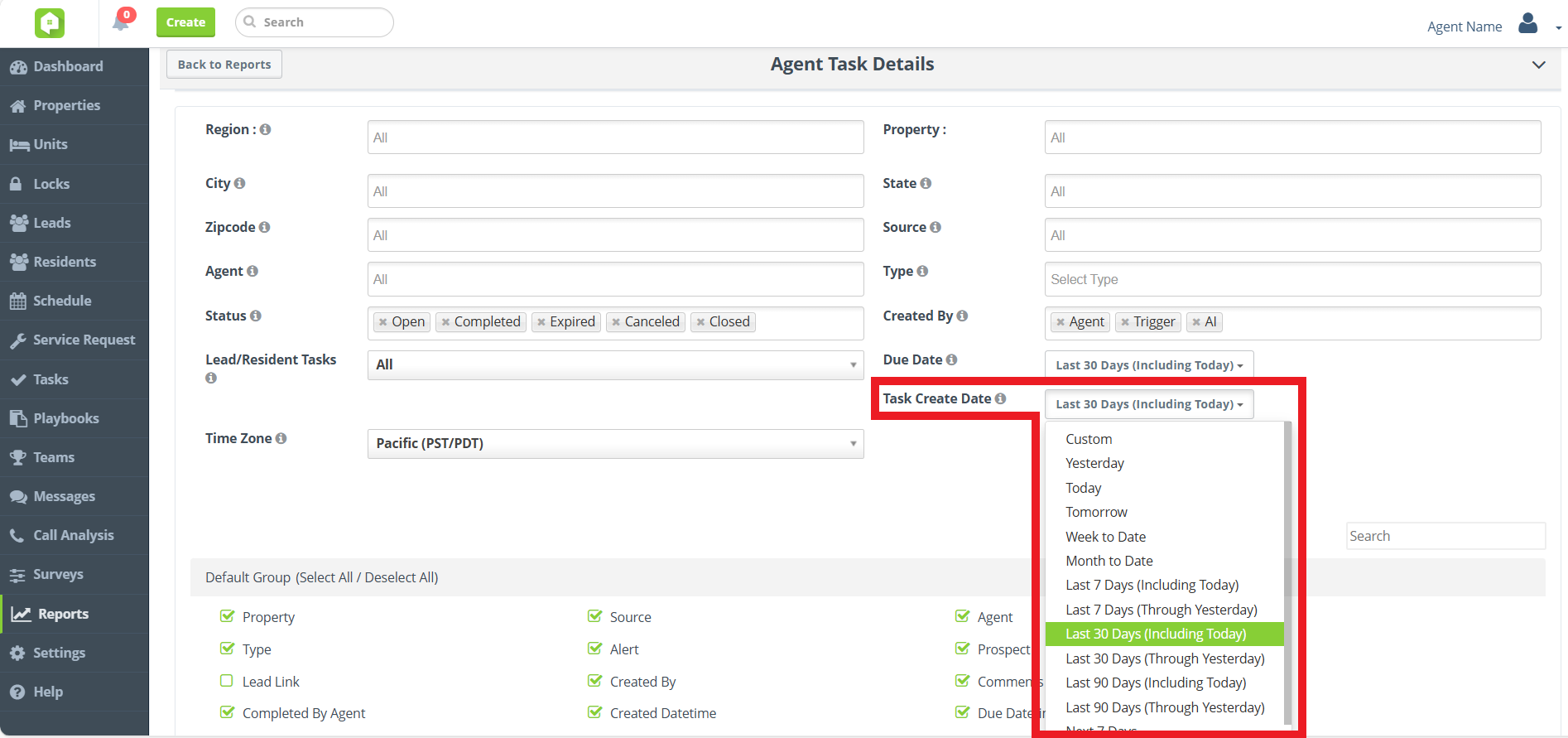
Agent Activity Report Optimization
Faster, smarter reporting is here! We’ve optimized the Agent Activity report in Anyone Home CRM, delivering quicker load times and smoother performance.
This update continues Anyone Home’s report optimization initiative, where we’re enhancing speed and efficiency across key reports. Keep an eye out for more optimized reports coming soon!
Dashboard KPIs
BETA Launch of New KPI Dashboard
Same KPIs, new UI! Approved users will now see the new and improved graphs and charts used for Key Performance Indicators (KPIs) on the Anyone Home Dashboard, with new property-performance breakdowns and fully customizable to fit each user type’s needs.
The existing KPI Dashboard will be replaced with our updated features in upcoming sprints. To take part in testing the New KPI Dashboard, reach out to your Anyone Home account representative or to Anyone Home Support.
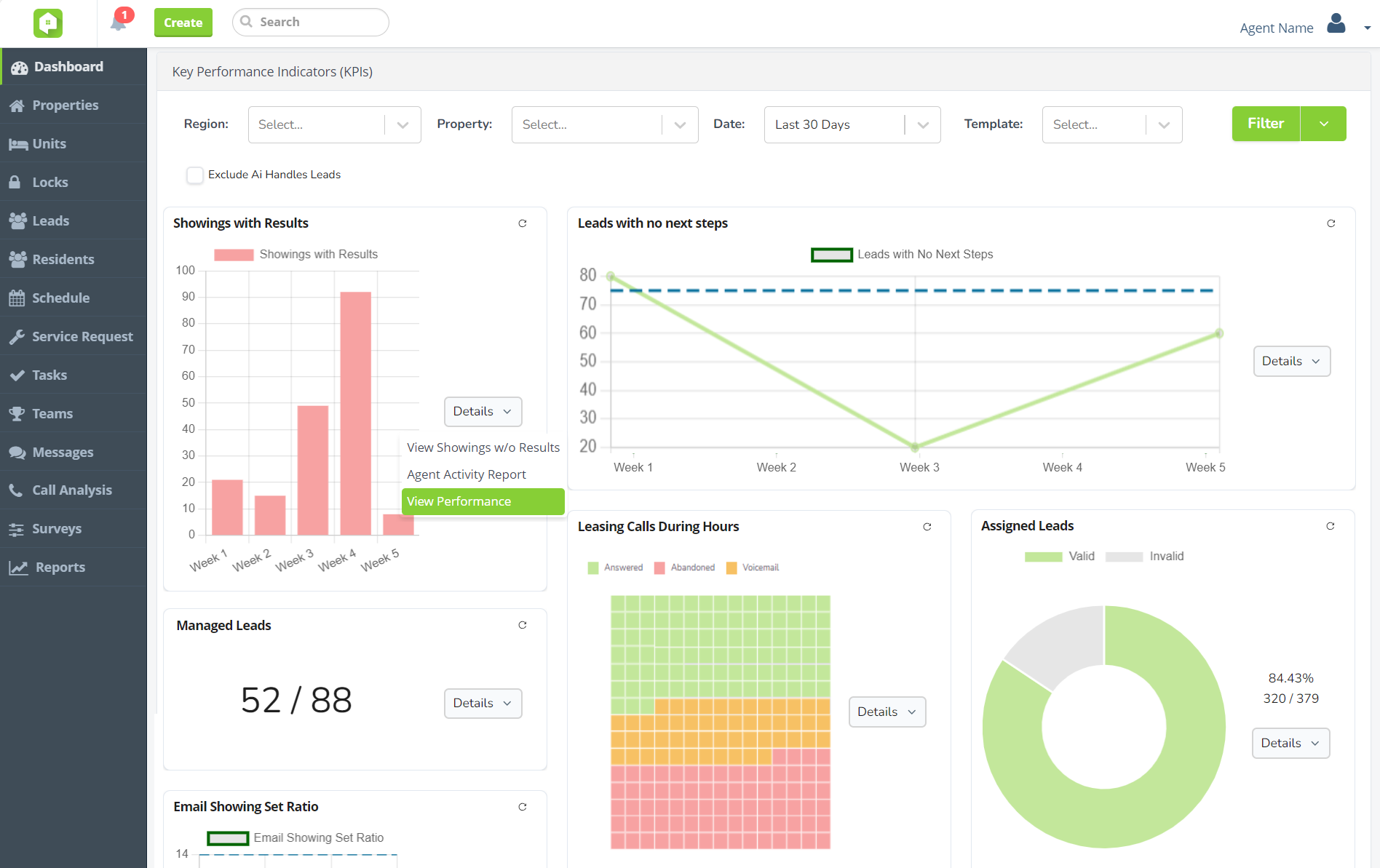
New KPI graphs and charts
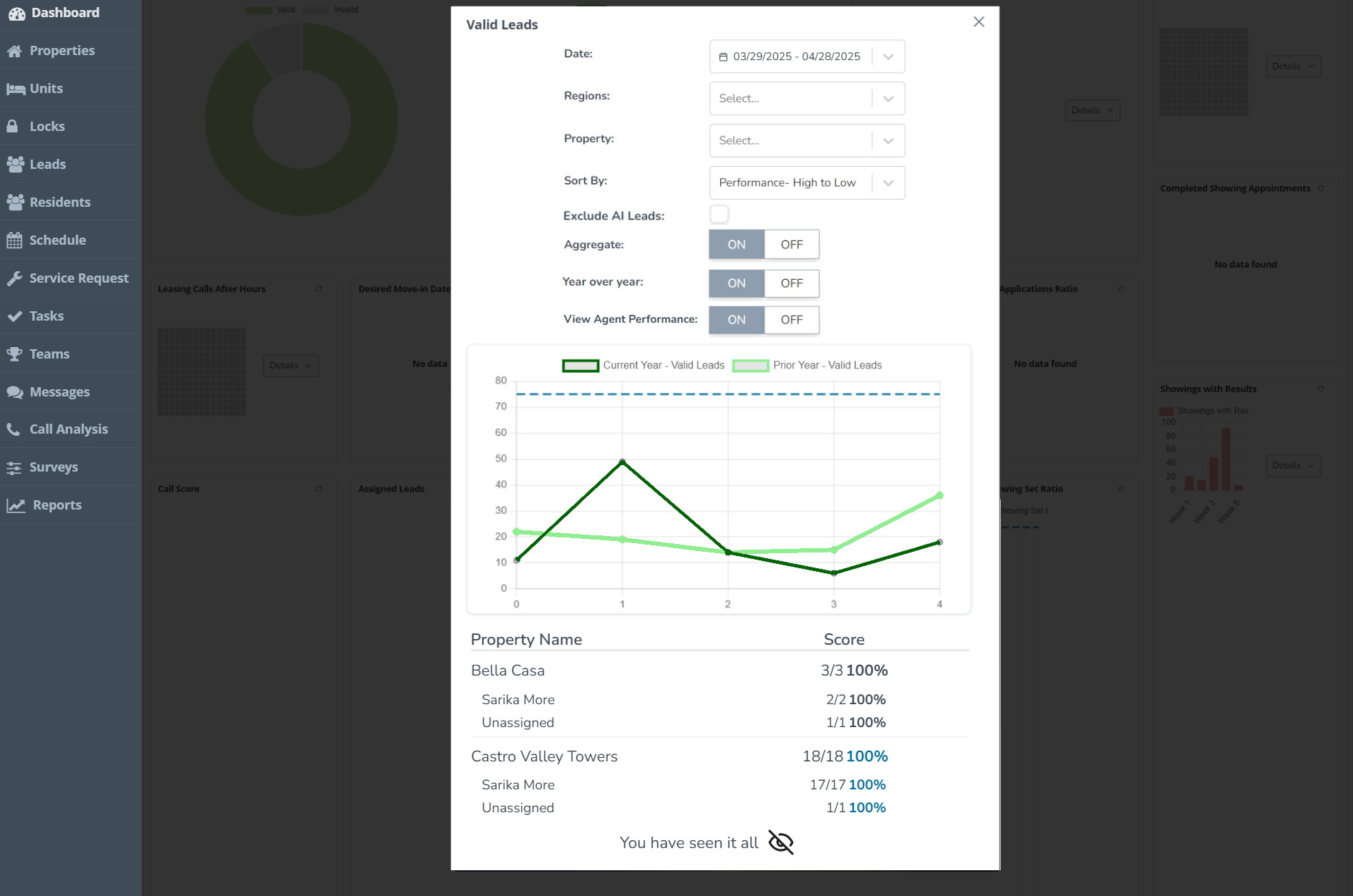
Property performance breakdowns
Next Release Date:
October 21, 2025
Future Releases
CRM
- Global Transition to New KPI Dashboard: Changes are coming the Anyone Home KPIs, with all clients transitioning to the new KPI Dashboard. Get started today by speaking with your Anyone Home account representative.
- Property Portfolios: Keep an eye out for the release of Portfolios, a more flexible grouping option that will enhance how “regions” work within Anyone Home.
- Trigger Playbook Refresh: To make managing automated events and communications easier and more accessible, we’re redesigning the UI surrounding the trigger playbook inside Anyone Home CRM.
Integrations
- Click-to-Call PMS Integration: Calls made or received using Anyone Home CRM’s Click-to-Call services will soon be pushed to all client PMS options.
- PEEK Integration: Anyone Home will soon be expanding our Virtual Tour capabilities by integration with the property management software PEEK.
Triggers & Communications
- Property-based SMS Senders: To ensure opt-in compliance and improve the prospect experience, all SMS messages composed inside Anyone Home will soon be delivered exclusively from your property’s designated SMS number.