Leasing Assistant
Email Confirmations for AI-generated Tours
Every tour, every time—now confirmed with a showing receipt! Tours scheduled through the Leasing Assistant Chatbot will now result in showing receipt emails automatically being sent to the prospect and your property team. This means consistent communication across all scheduling channels, whether it’s a human or AI doing the booking.
CRM
Guest Card and SR Email Enhancements
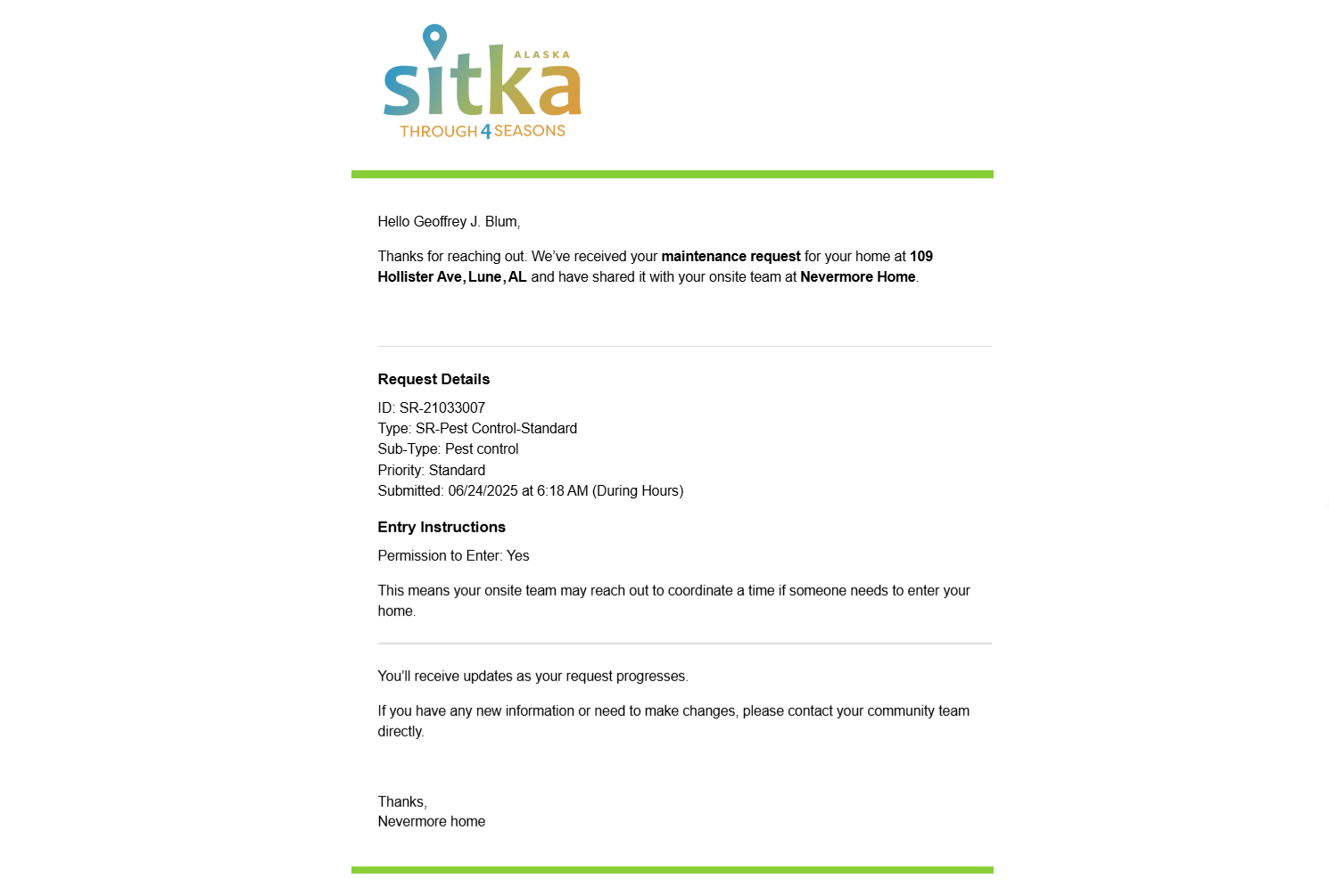
Better communication, same trusted experience. We’ve refreshed the body copy in select guest card and service request emails—for prospects, residents, and property teams—to provide clearer, easier to read messages.
Dashboard KPIs
BETA Launch of New KPI Dashboard
Same KPIs, new UI! Approved users will now see the new and improved graphs and charts used for Key Performance Indicators (KPIs) on the Anyone Home Dashboard, with new property-performance breakdowns and fully customizable to fit each user type’s needs.
The existing KPI Dashboard will be replaced with our updated features in upcoming sprints. To take part in BETA testing the new KPI Dashboard, reach out to your Anyone Home account representative or to Anyone Home Support.
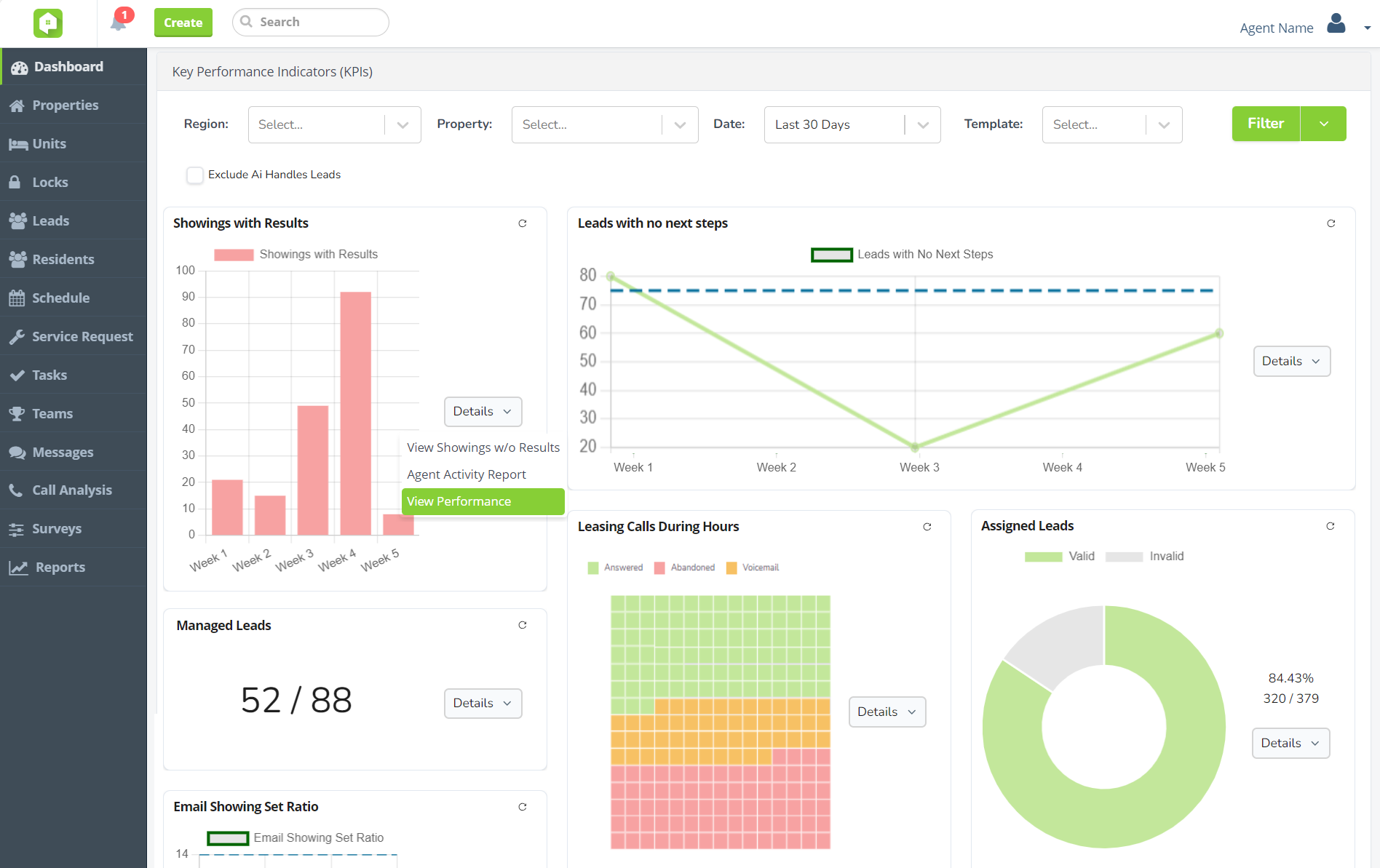
New KPI graphs and charts
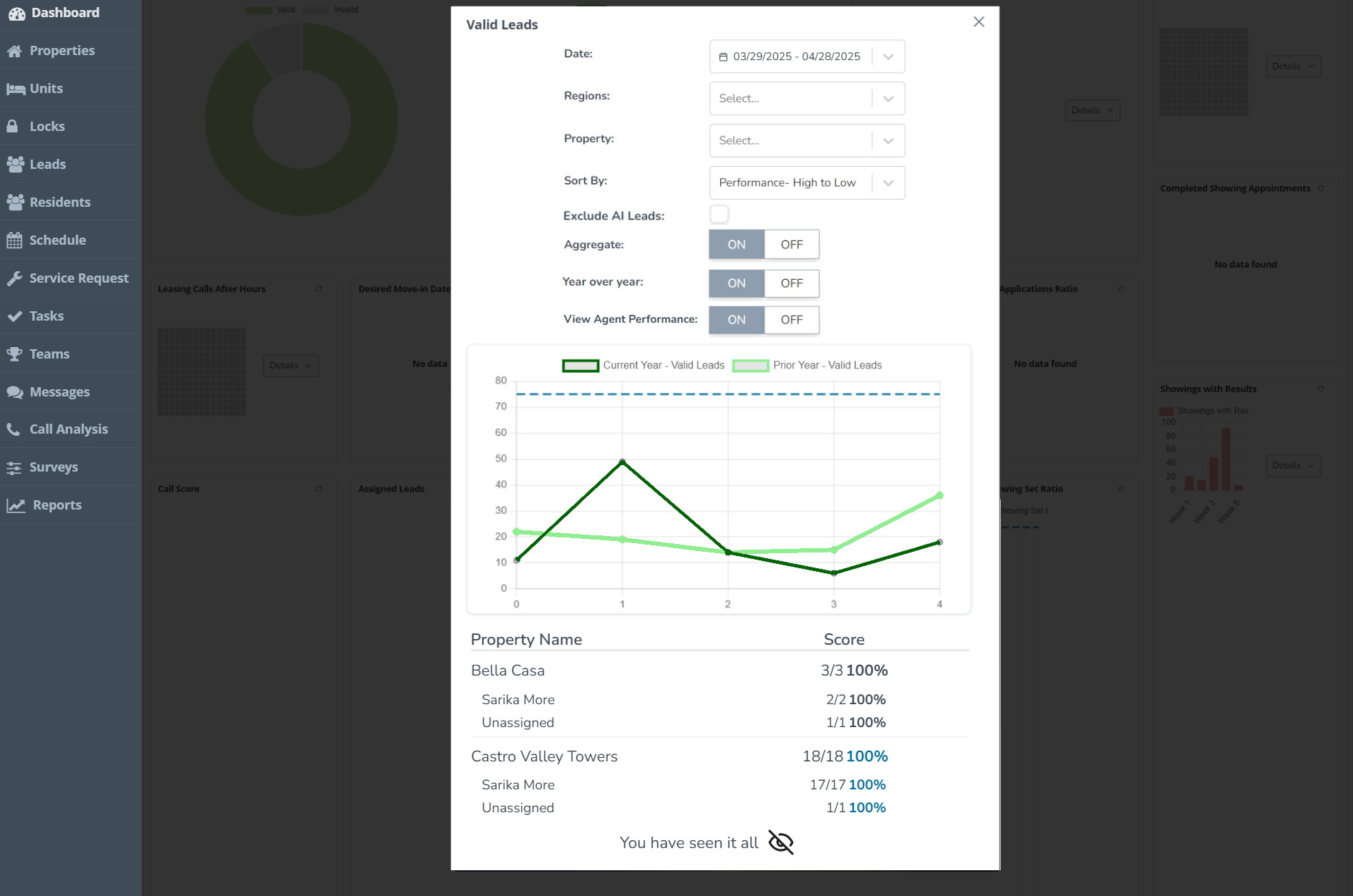
Property performance breakdowns
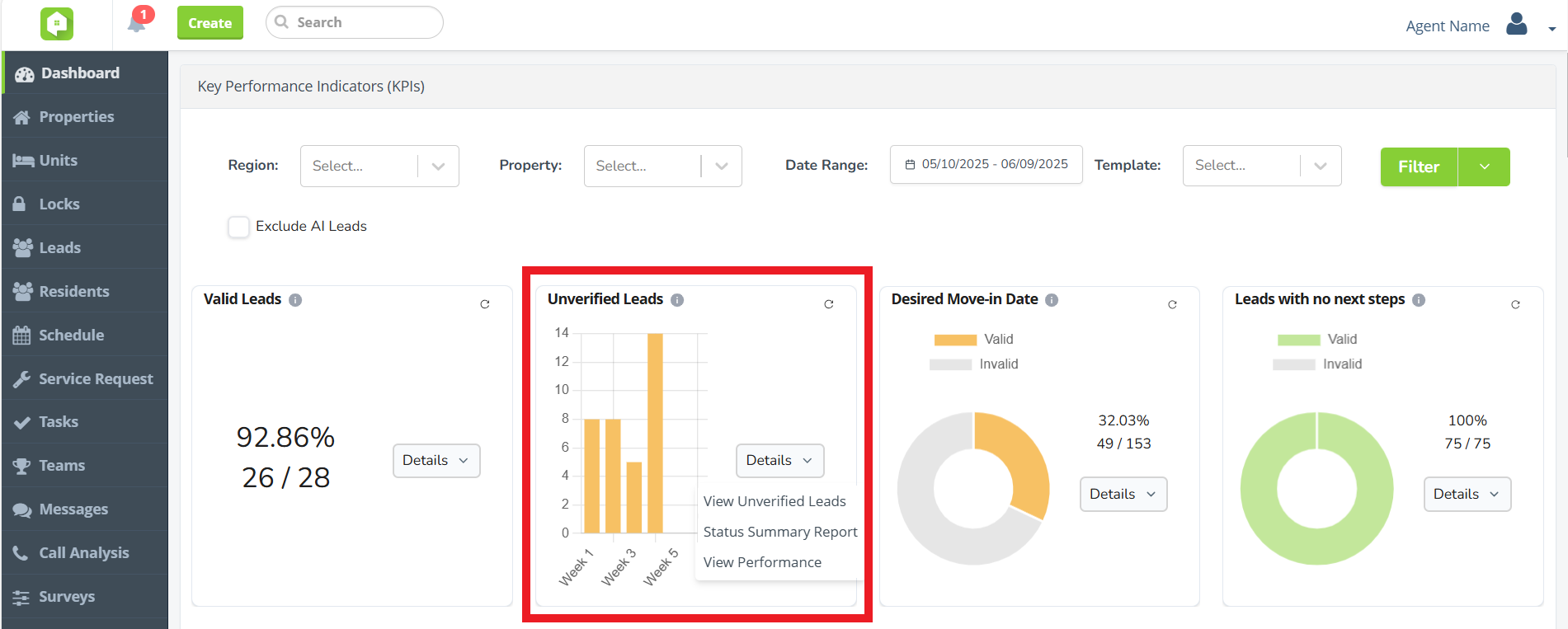
Unverified Leads KPI
No lead left behind! Use the new Unverified Leads KPI to review and manage unverified leads. Determine whether the leads are ‘Valid’ or ‘Invalid’ while getting insight into where unverified leads are coming from and when.
Next Release Date:
July 29, 2025
Future Releases
Call Analysis
- Call Score KPI Enhancements: The Call Score KPI will soon have new visualization options, including line graphs and donut charts.
CRM
- Global Transition to New KPI Dashboard: Changes are coming the Anyone Home KPIs, with all clients transitioning to the new KPI Dashboard. To request BETA testing access, speak with your Anyone Home account representative.
Widgets
- Omnichannel Communication Widget: We are introducing a new interactive widget that can be embedded on your property website, where visitors can choose how they want to connect—via chat, tour booking, email, or SMS messaging in a visually clear and accessible way. Stay tuned for more details!