CRM
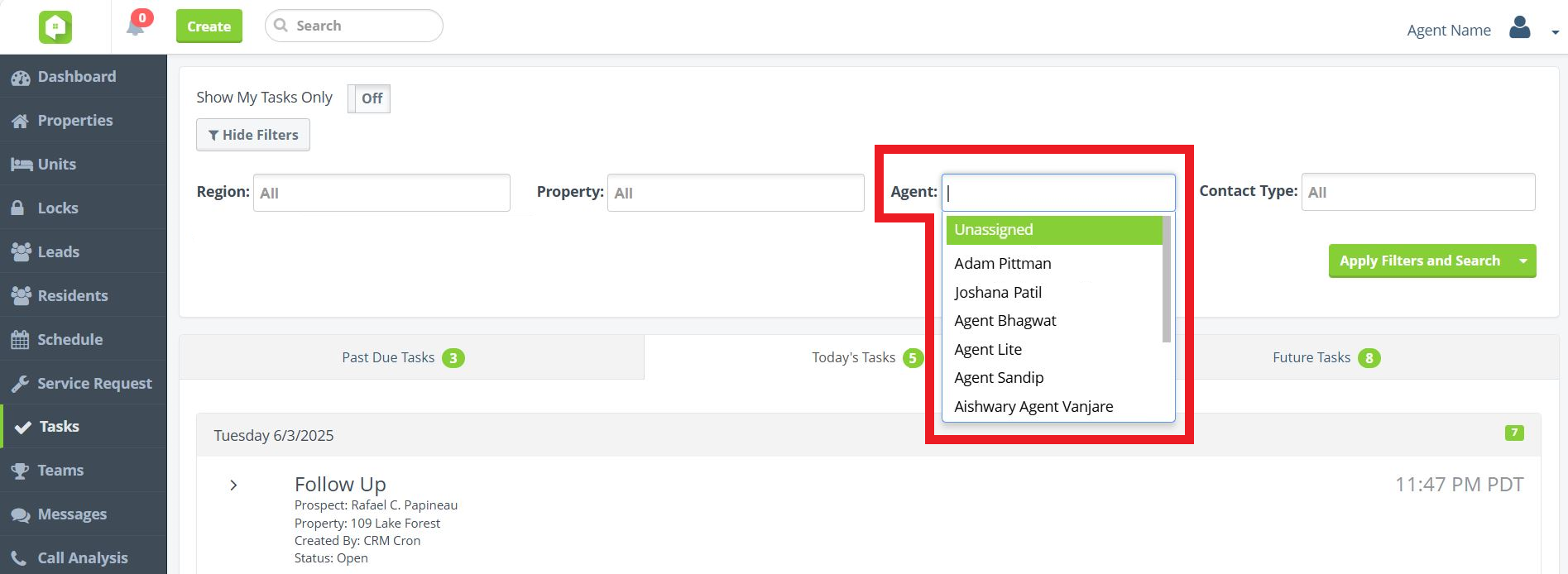
‘Unassigned’ Tasks Filter Enhancement
Find and assign Tasks with ease! When applying the Agent filter in any of the Tasks tabs, Anyone Home users will now see the ‘Unassigned’ option prioritized to appear at the top of the filter dropdown menu.
Invite to SMS Email Button
Reintroducing SMS invite emails! Use Anyone Home CRM’s Invite to SMS feature to offer prospects and residents the opportunity to re-opt into SMS messages. Mirroring existing mass email functionality, simply indicate whether the message should be sent to prospects or residents, the impacted property of interest, and the desired sender email address to customize your list of email recipients. Contacts that receive the email will be provided with easy-to-follow instructions on how to opt back in to your community’s SMS messaging.
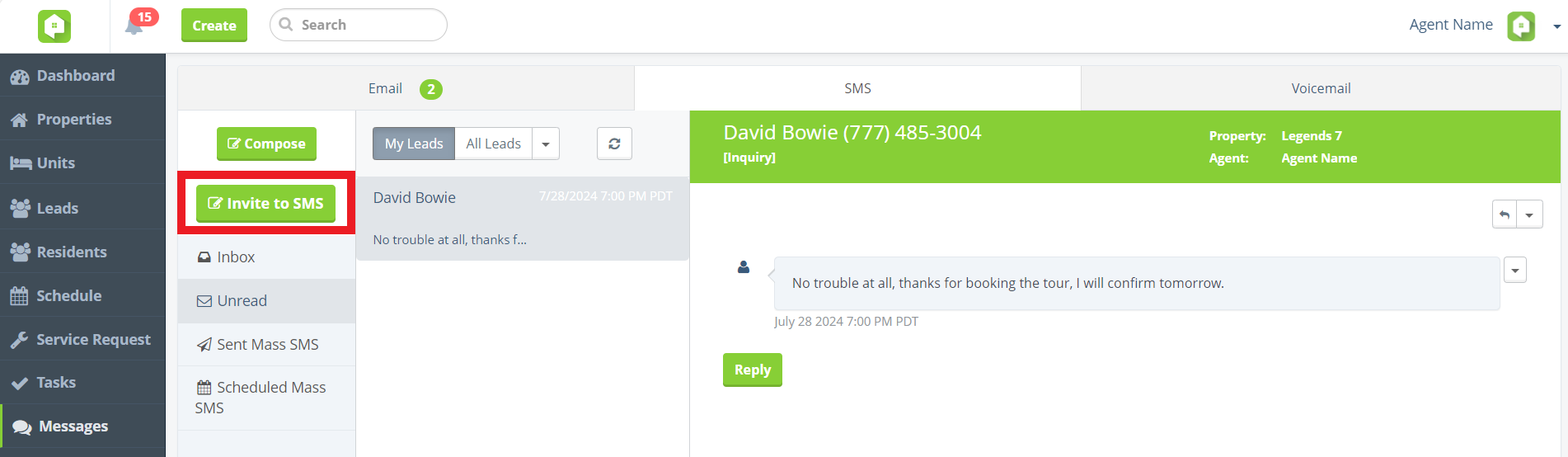
Opt-in Request button under Messages > SMS
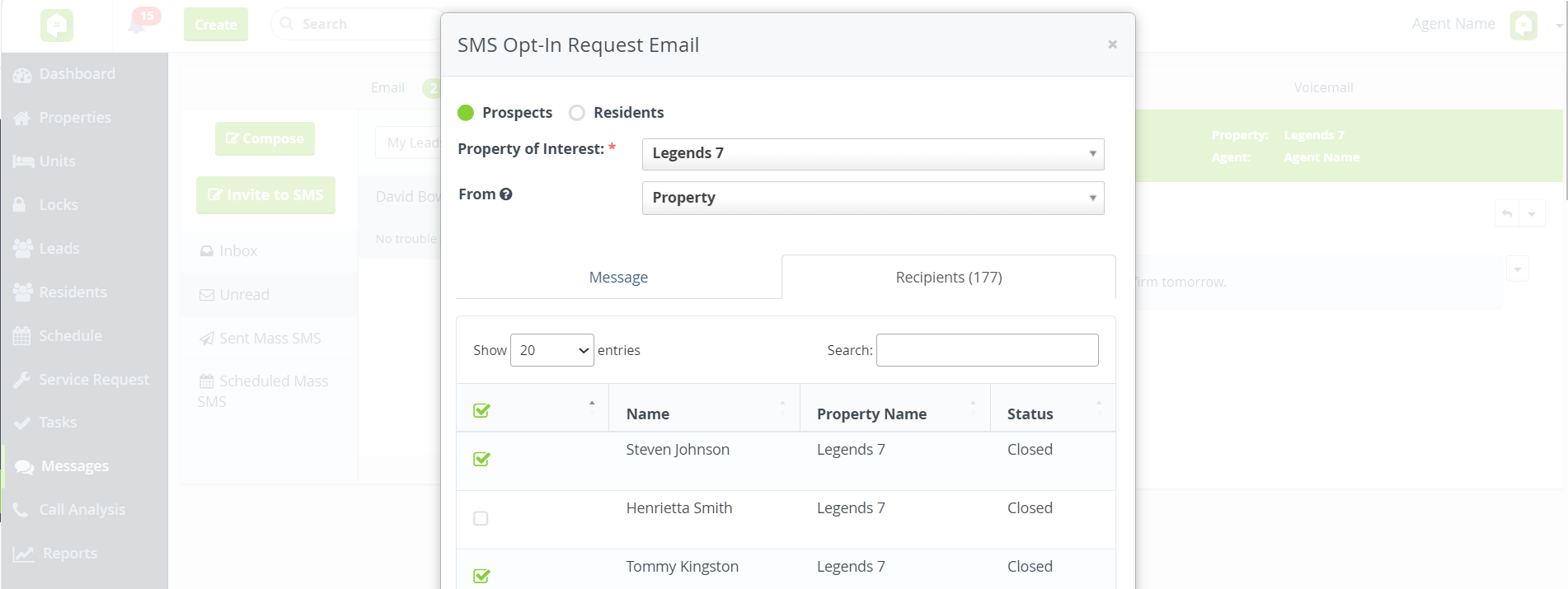
Compose the email recipient list
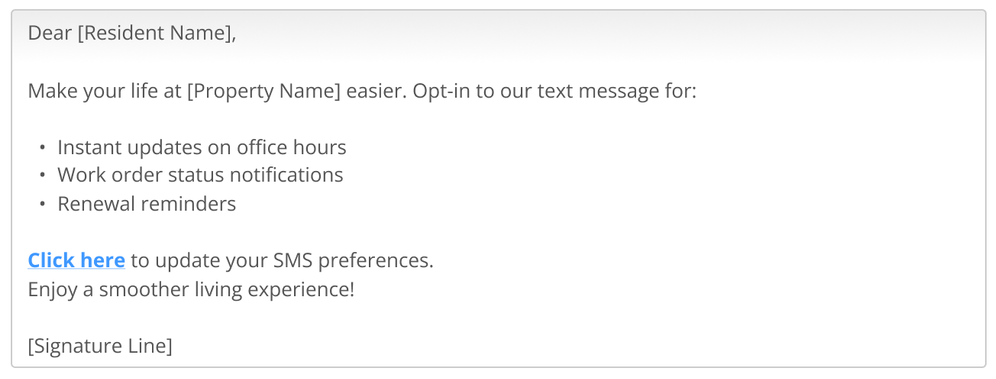
Sample instructions for contacts that have previously opt-ed out
Follow Up Task Timeframe Setting
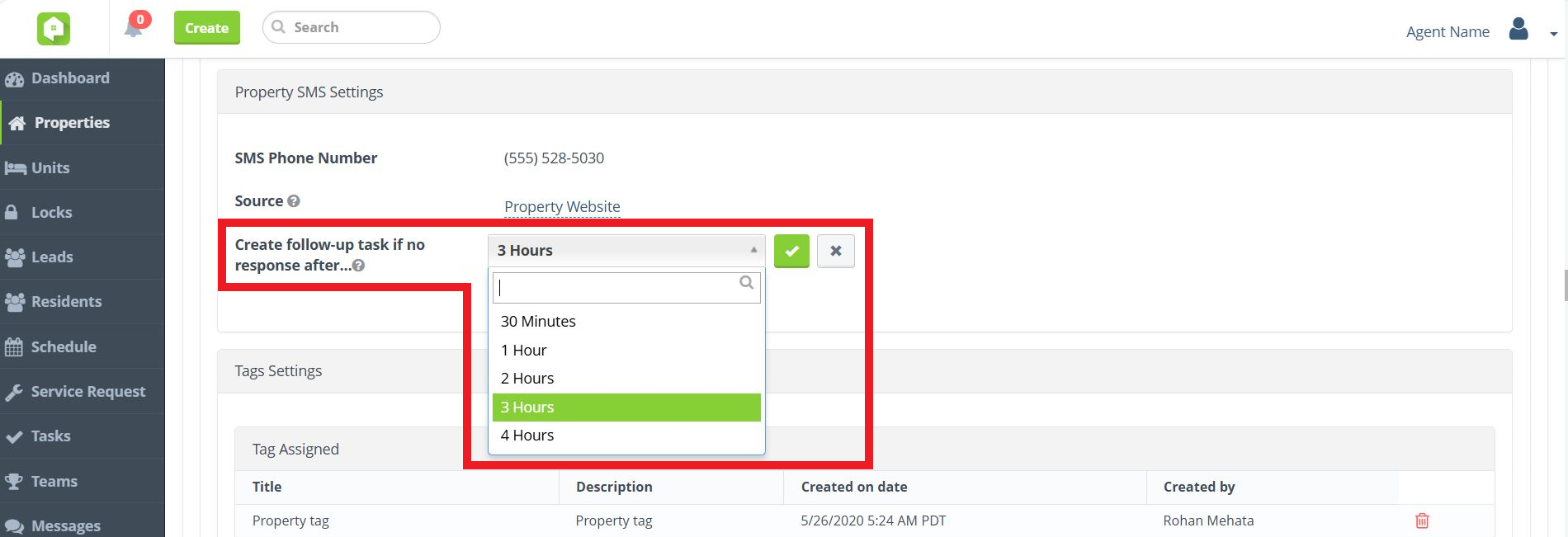
The new Create follow-up task if no response after setting gives your team the ability to control when Follow Up tasks are generated for previously opted out contacts reaching back out without an email address on their guest card. Have Follow Up tasks generated 30 minutes, 1 hour, 2 hours, 3 hours, or 4 hours after Anyone Home detects the contact’s attempted SMS message.
Please note that only Admin-level users will be able to configure this setting, located in a property’s Property SMS Settings section.
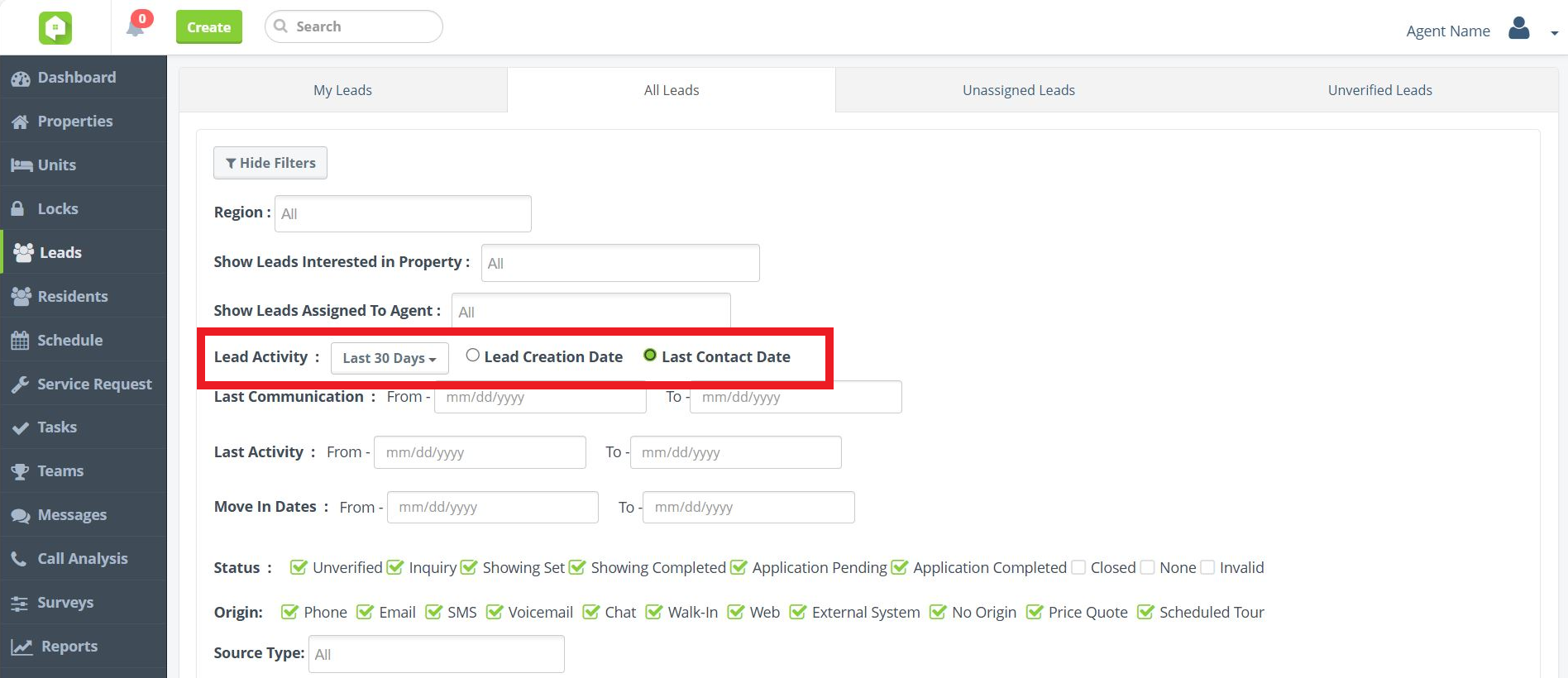
Lead Create Date Filter Improvements
To help your team find and manage leads more efficiently, we’ve updated the Leads view’s date range filters inside Anyone Home to make them clearer and more intuitive. The ‘Lead Created’ filter is now labeled ‘Lead Activity’, with two refined options: Lead Creation Date (formerly Lead Created Date) and Last Contact Date (formerly Guest Card Created Date).
Dashboard KPIs
BETA Launch of New KPI Dashboard
Same KPIs, new UI! Approved users will now see the new and improved graphs and charts used for Key Performance Indicators (KPIs) on the Anyone Home Dashboard, with new property-performance breakdowns and fully customizable to fit each user type’s needs.
The existing KPI Dashboard will be soon replaced with our updated features in coming sprints. To take part in BETA testing the new KPI Dashboard, reach out to your Anyone Home account representative or to Anyone Home Support.
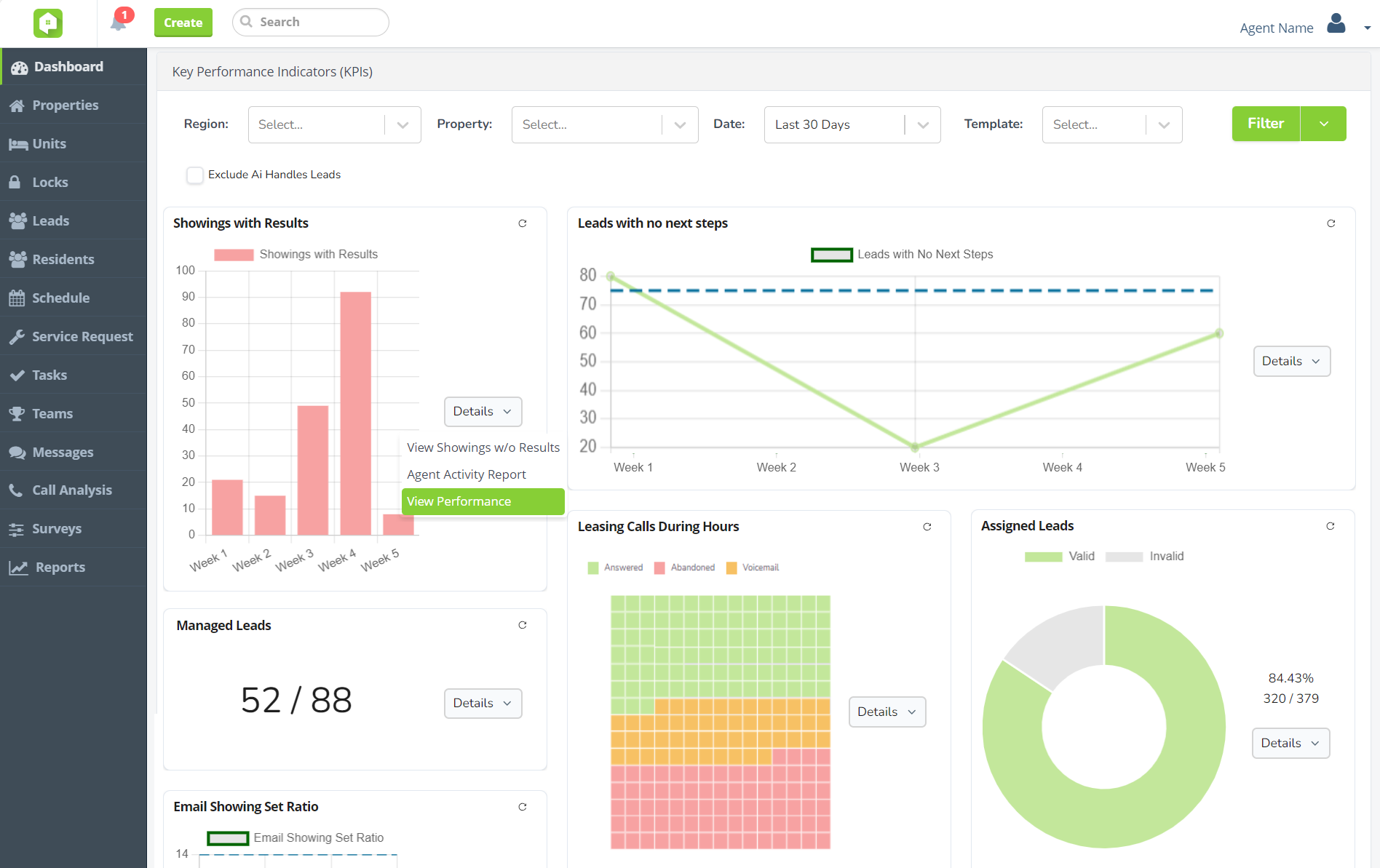
New KPI graphs and charts
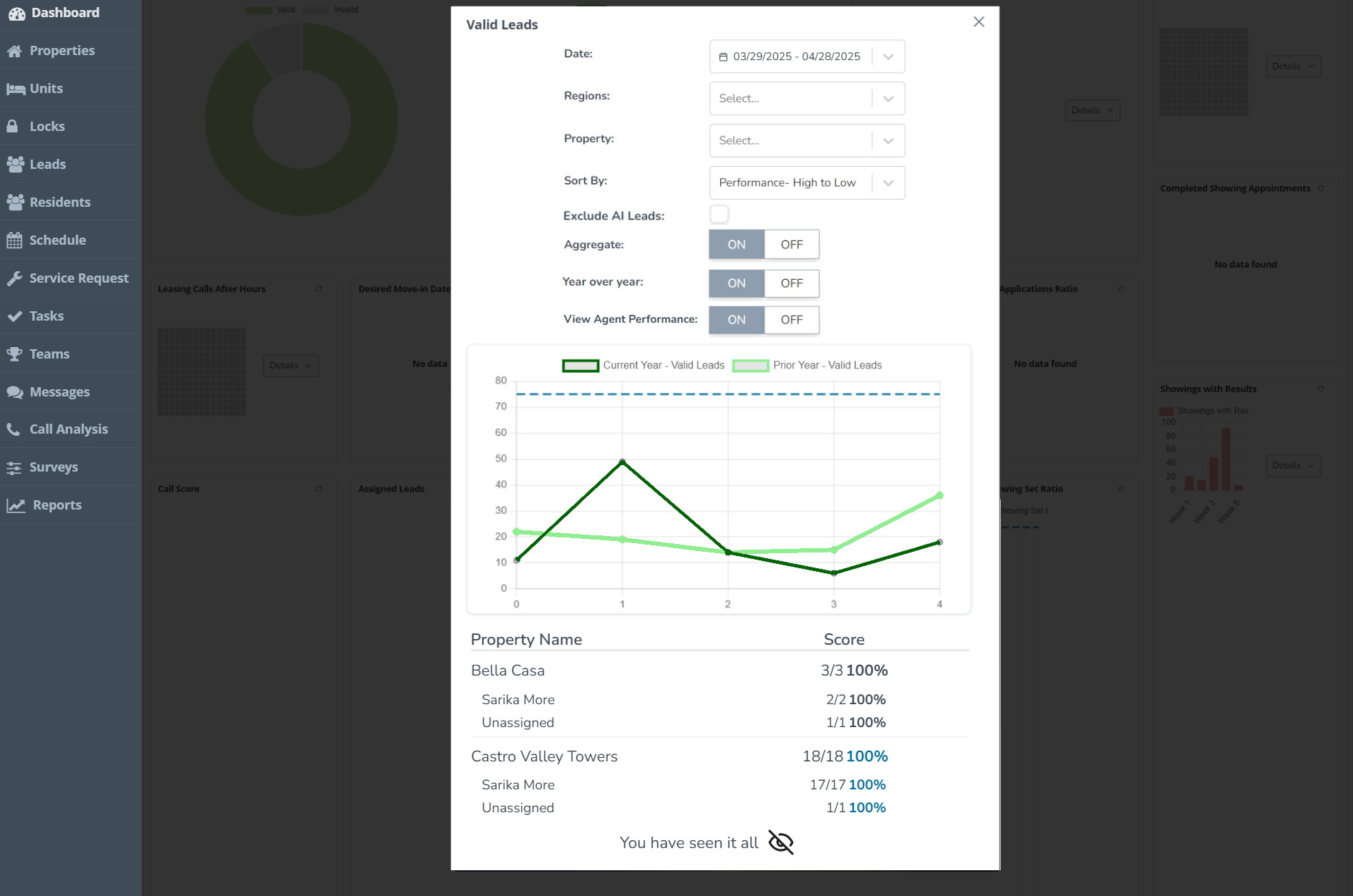
Property performance breakdowns
KPI Filter Templates
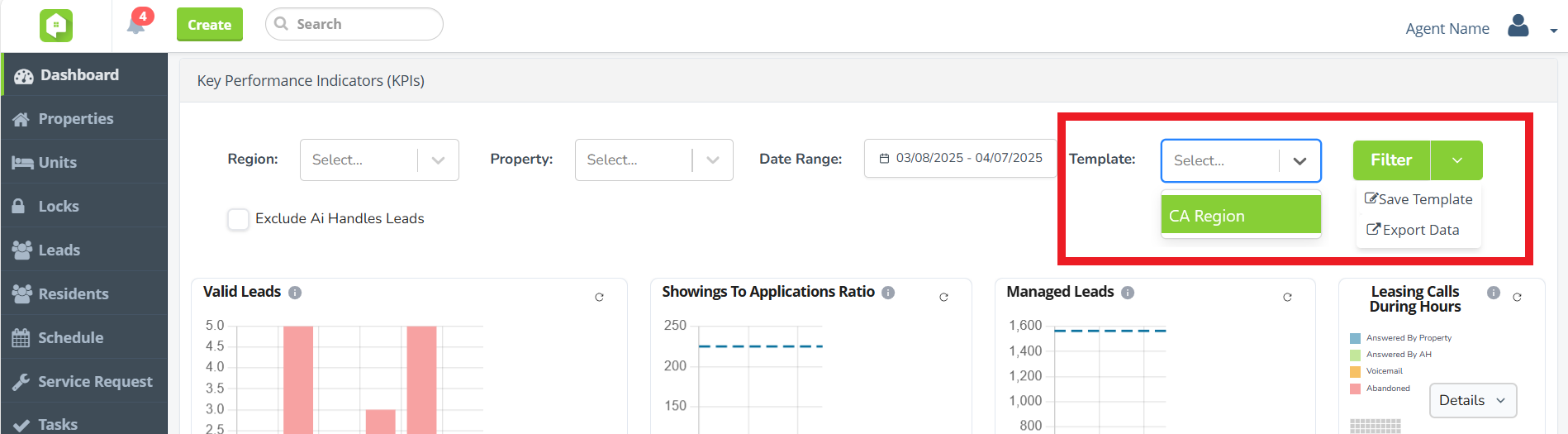
Custom KPI Filters have returned! The BETA KPI Dashboard gives Anyone Home users the ability to create, save, and apply custom filter templates to their Dashboard KPIs.
- To create a template: apply filters > click Filter dropdown arrow > select ‘Save Template’.
- To apply a template to the Dashboard: click Template dropdown > select desired template > click Filter.
- To edit/delete a template: click user dropdown > select ‘Preferences’ > select Dashboard Settings > scroll down to ‘Custom Filter Template Setting’ section.
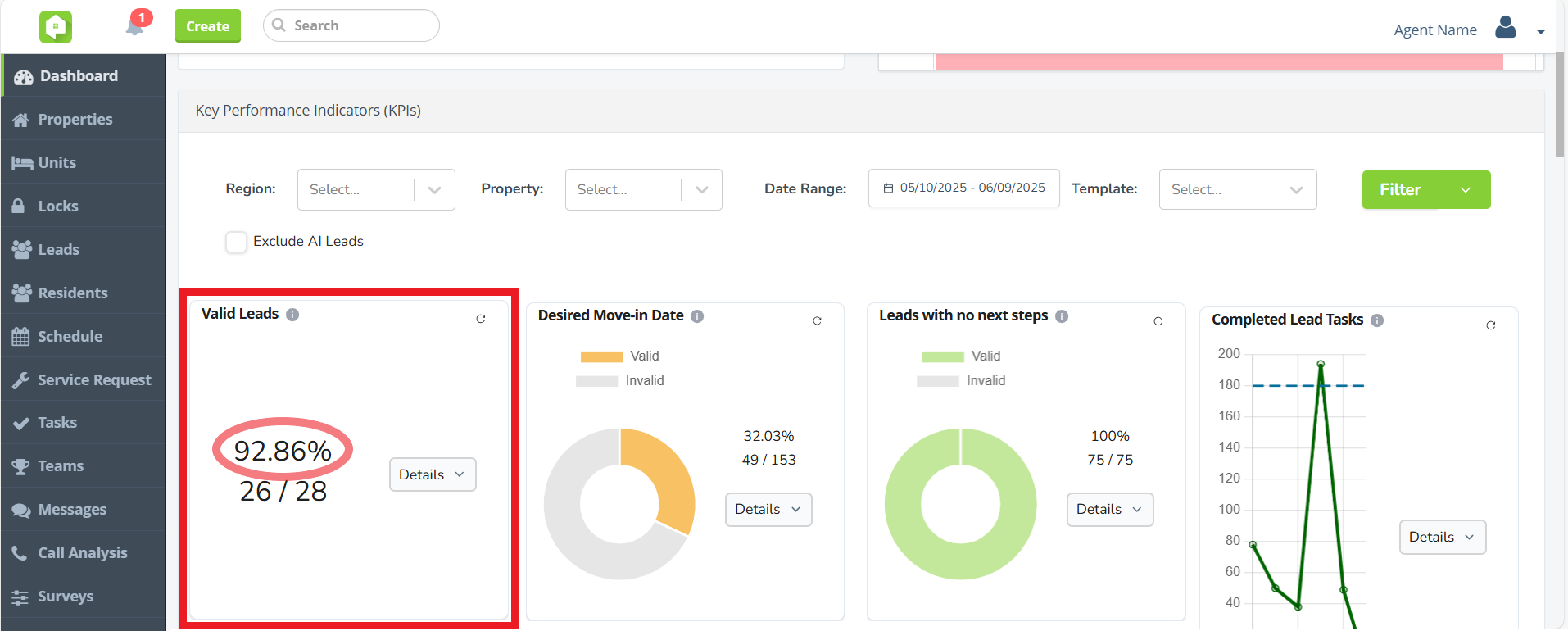
'KPI Total' Percentages
Grade KPIs with precise percentages! KPIs that utilize the ‘KPI Total’ chart type will now see the ratio representing the KPI score displayed as a percentage as well.
Export KPI Data
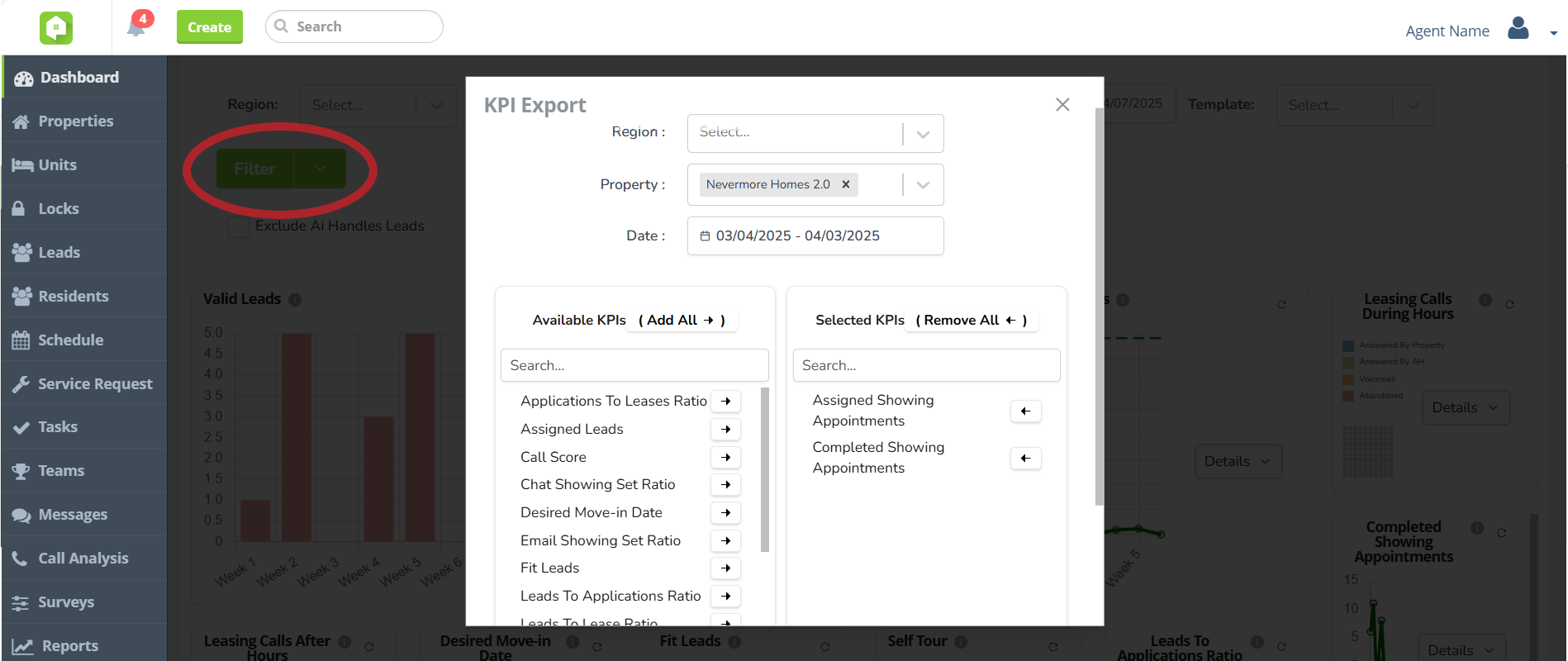
Download your data, your way! In the BETA KPI Dashboard, Anyone Home users can now export Dashboard KPIs – with all filters applied – into an Excel file. To configure your file, start by clicking the Filter dropdown arrow and selecting ‘Export Data’. In the popup window that appears, select which KPI you’d like to download, and then press Export to download the file.
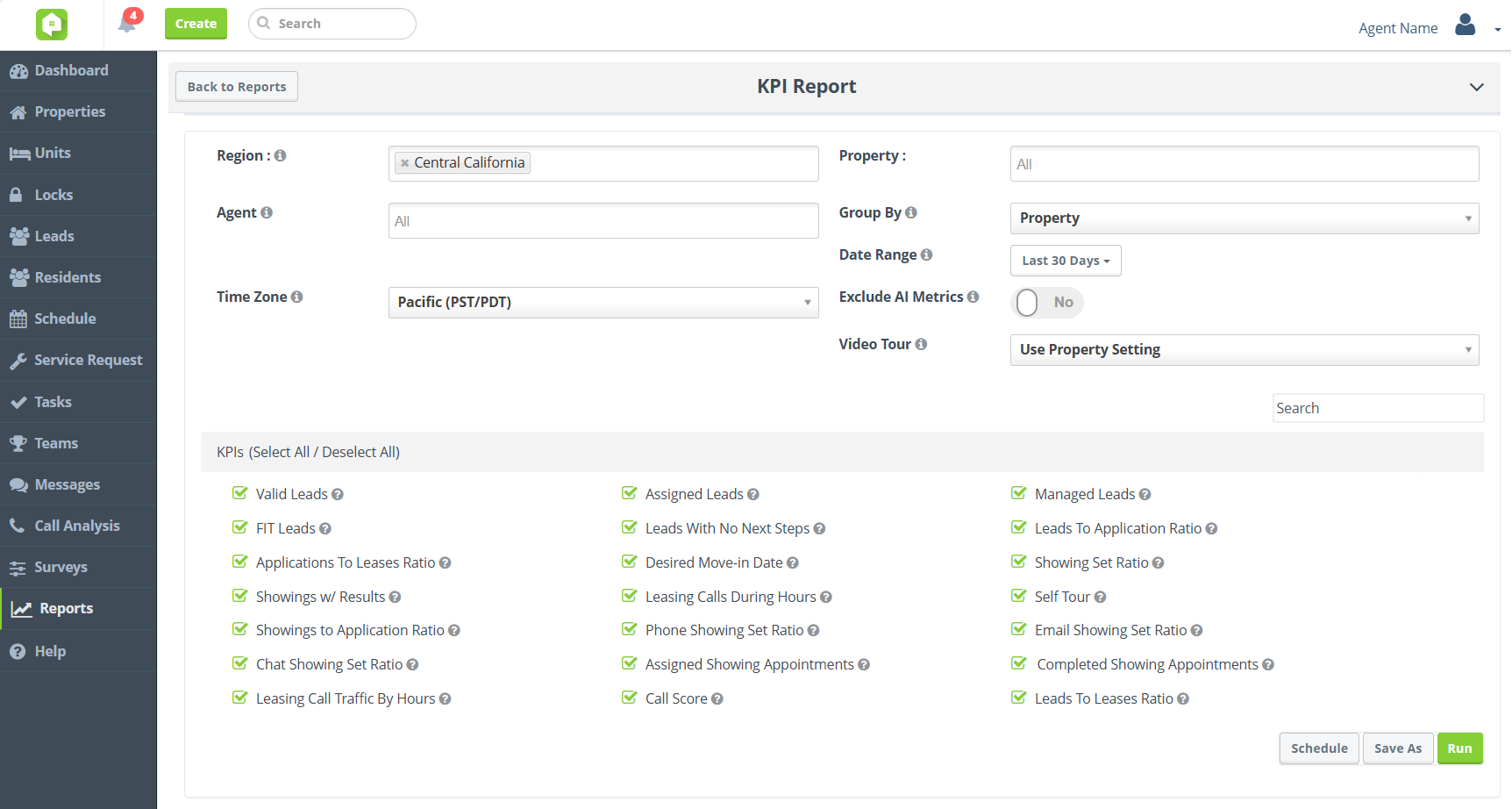
New KPI Report
You’ve asked, we’ve listened! In addition to exporting data directly from the KPI Dashboard, use the new KPI Report in the Reports platform to run, download, or schedule KPI metric reporting.
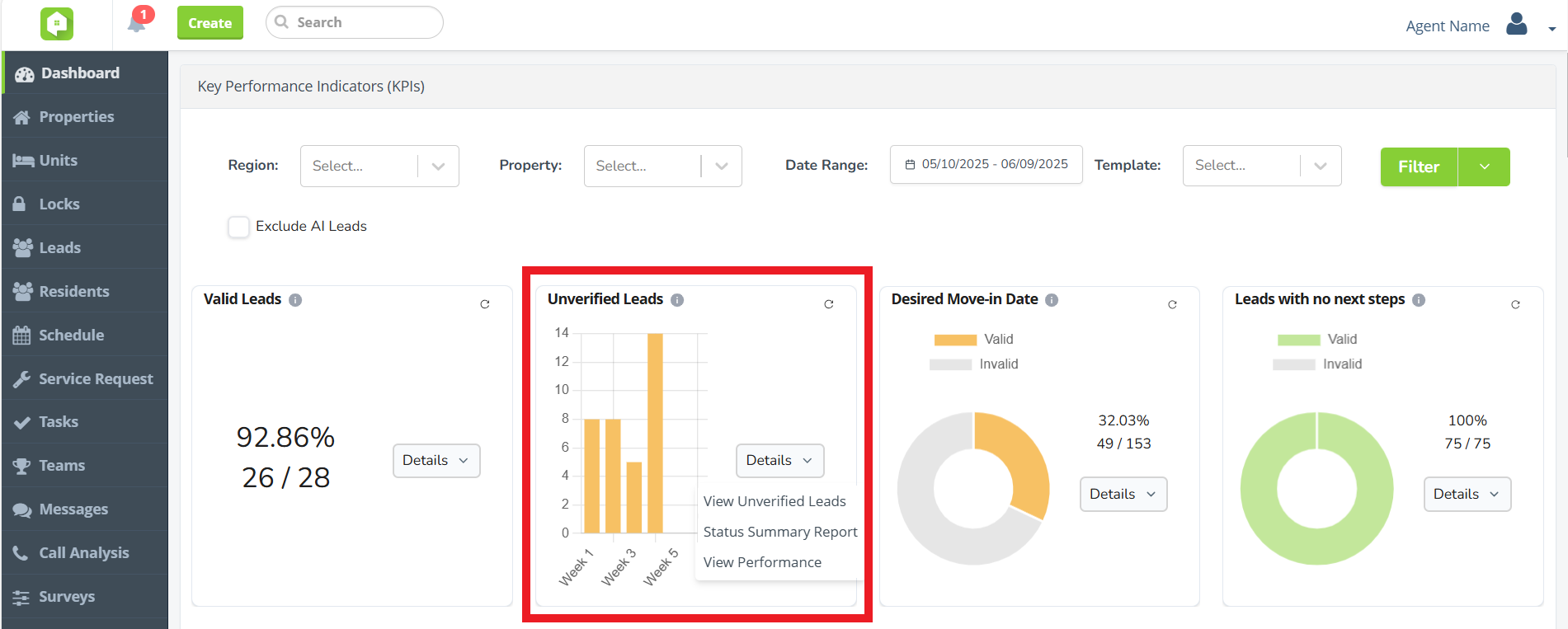
[POSTPONED] Unverified Leads KPI
No lead left behind! Use the new Unverified Leads KPI to review and manage unverified leads. Determine whether the leads are ‘Valid’ or ‘Invalid’ while getting insight into where unverified leads are coming from and when.
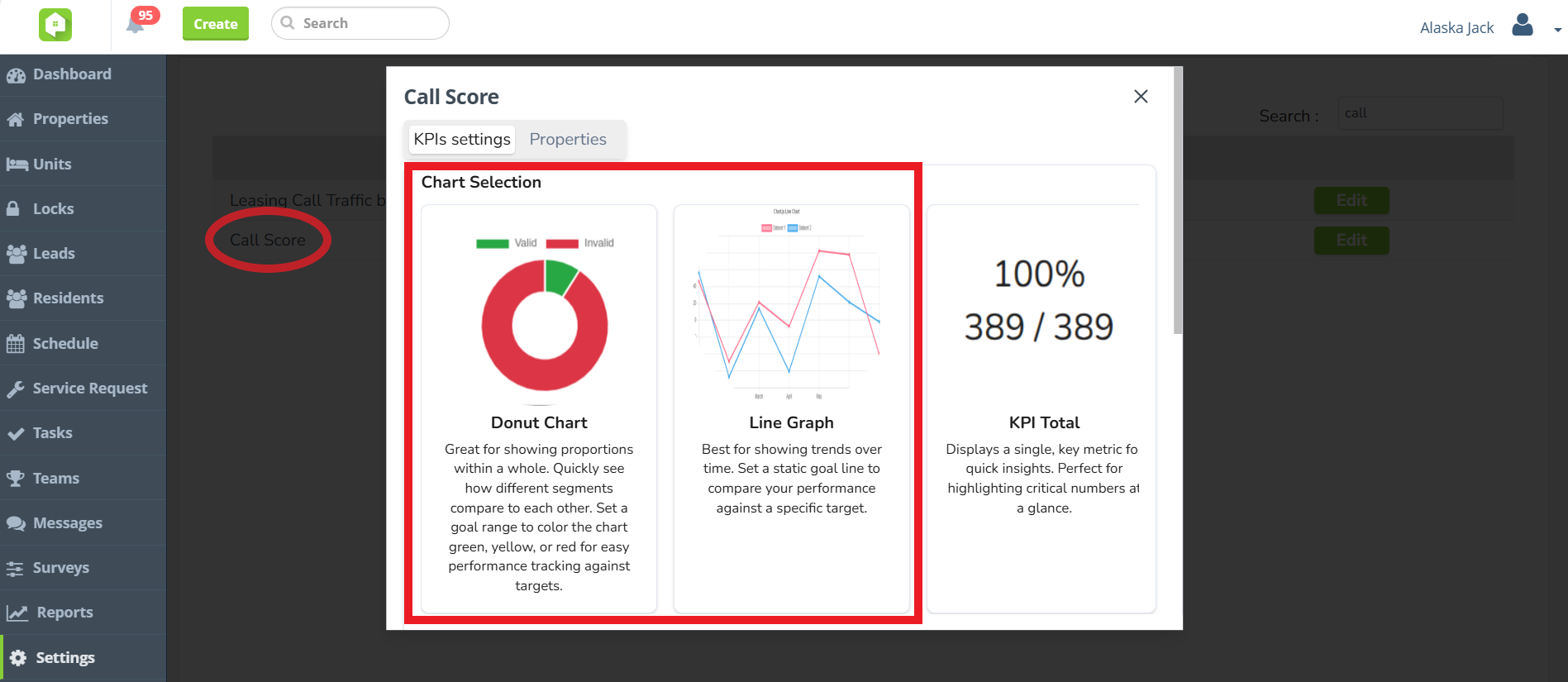
[POSTPONED] Call Score KPI Charts
For Call Analysis users utilizing the BETA KPI Dashboard, the Call Score KPI can now be configured to display as a line chart or donut chart.
Please note that only Admin-level users can access the KPI Library section of the Settings tab to configure the Call Score KPI.
Next Release Date:
July 9, 2025
Future Releases
CRM
- Global Transition to New KPI Dashboard: Changes are coming to the Anyone Home KPIs, with all clients transitioning to the new KPI Dashboard. To request BETA testing access, speak with your Anyone Home account representative.
Widgets
- Omnichannel Communication Widget: We are introducing a new interactive widget that can be embedded on your property website, where visitors can choose how they want to connect—via chat, tour booking, email or SMS messaging in a visually clear and accessible way. Stay tuned for more details!