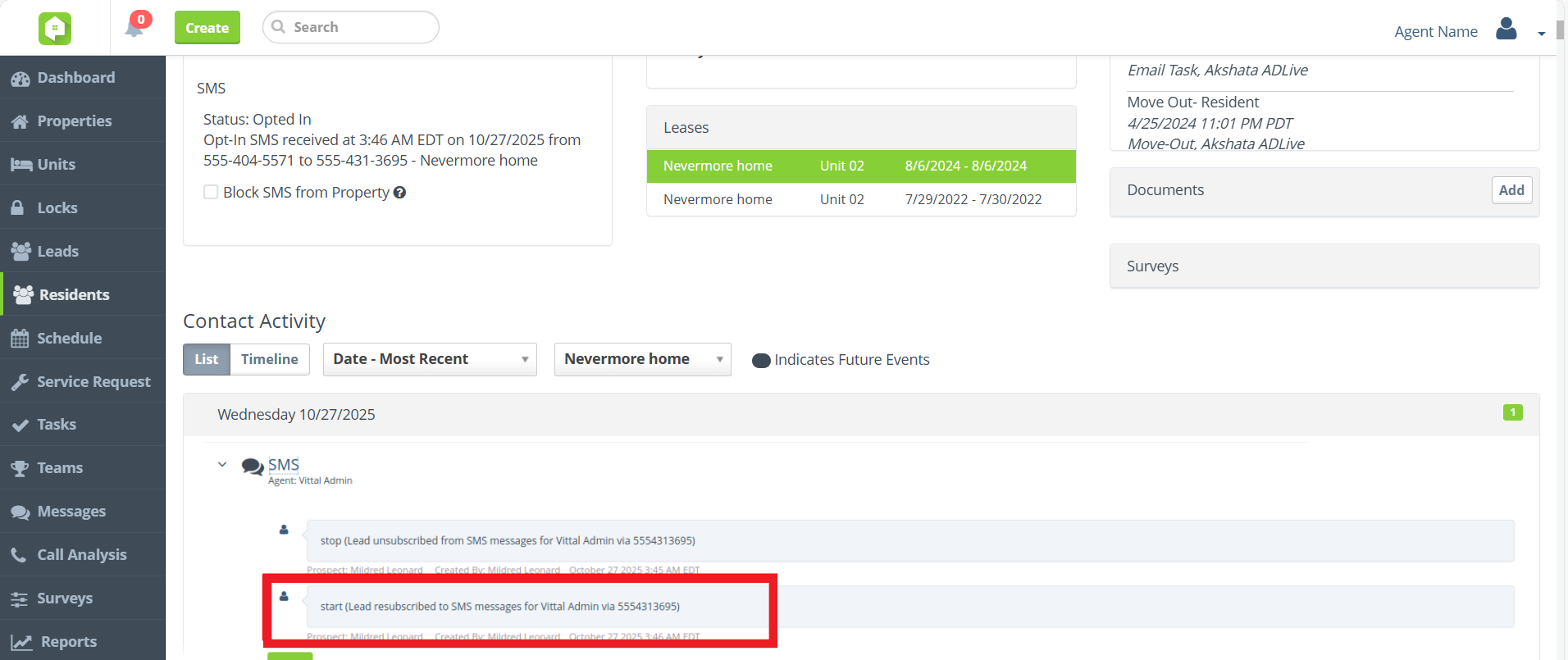
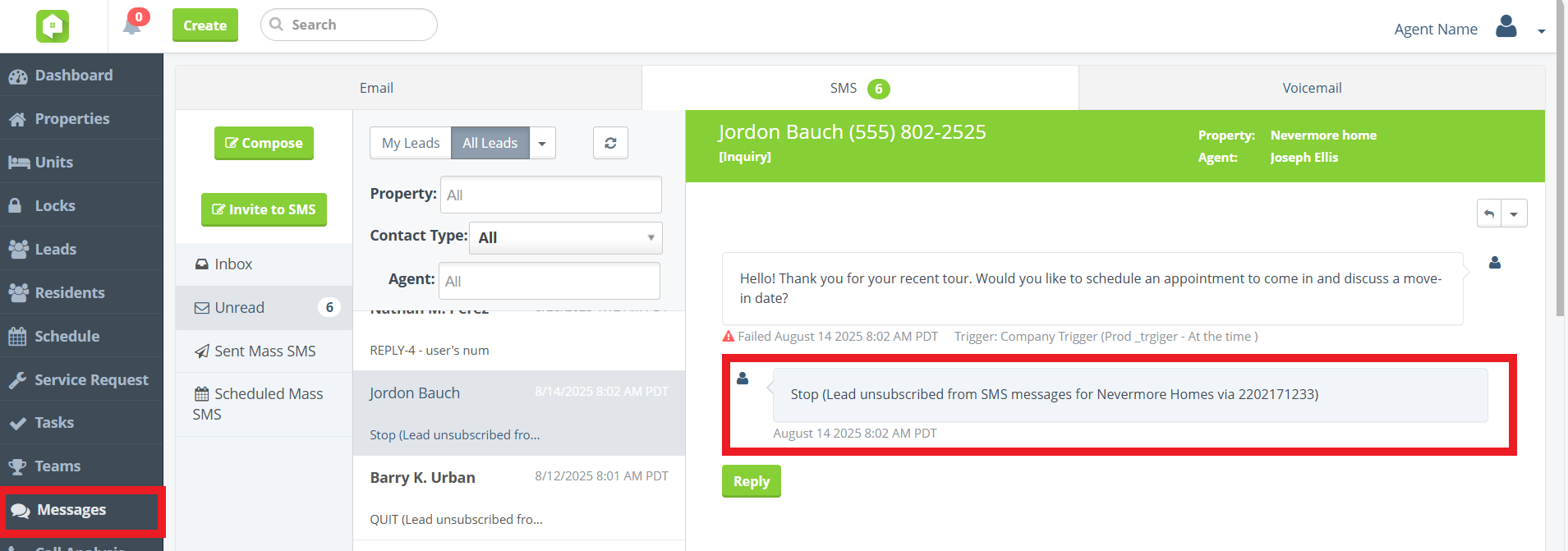
Your SMS timeline just got an upgrade. The “START” and “STOP” messages used to opt-in and opt-out of SMS communications will now be tracked and displayed in the SMS timeline in a guest card’s Contact Activity and in the Messages portal.
Residents > Contact Activity
Messages > SMS
Integrations
Peek Virtual Tour Integration
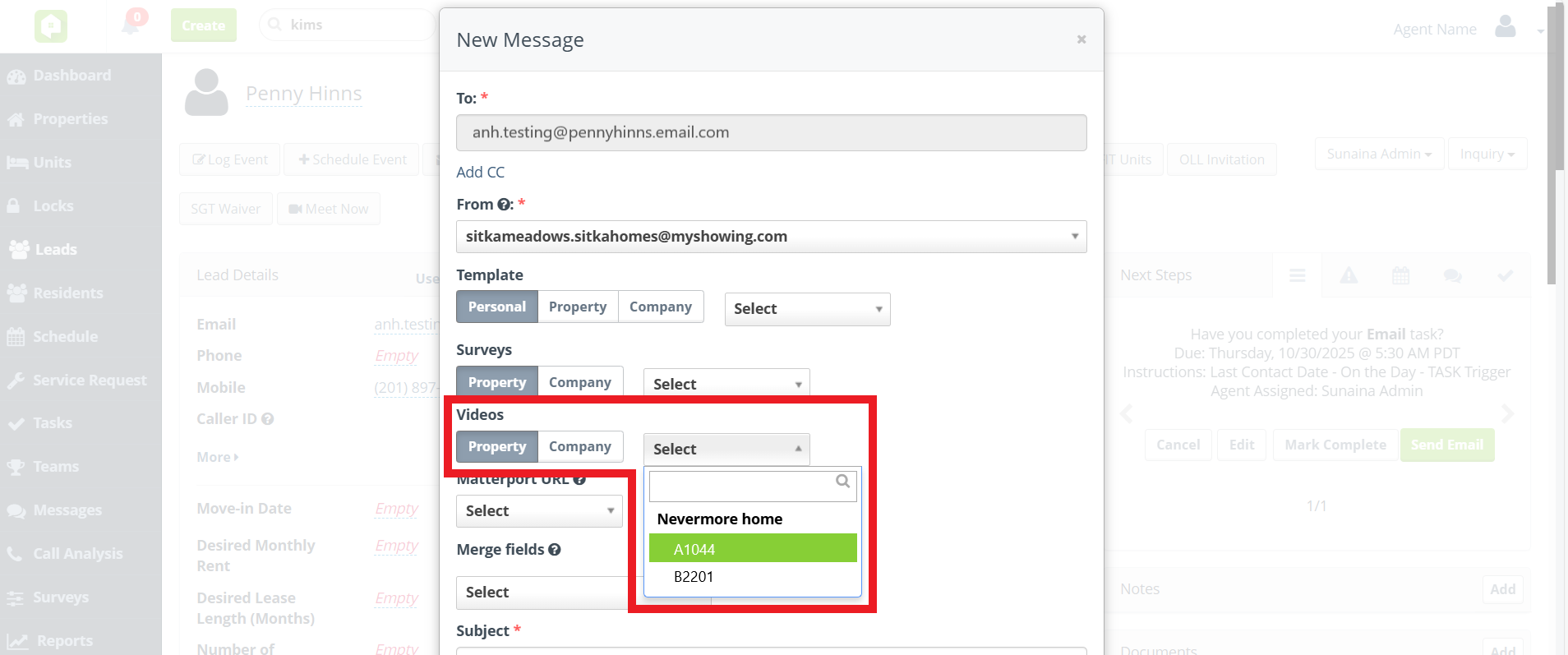
Say hello to smarter touring with our new Peek integration! Anyone Home can now pull in unit video links directly from Peek for your agents to send to prospects. Whether prepping for a virtual visit or replacing an in-person tour, these videos make showcasing units easier than ever—right from your Anyone Home email messaging portal.
Dashboard KPIs
BETA Launch of New KPI Dashboard
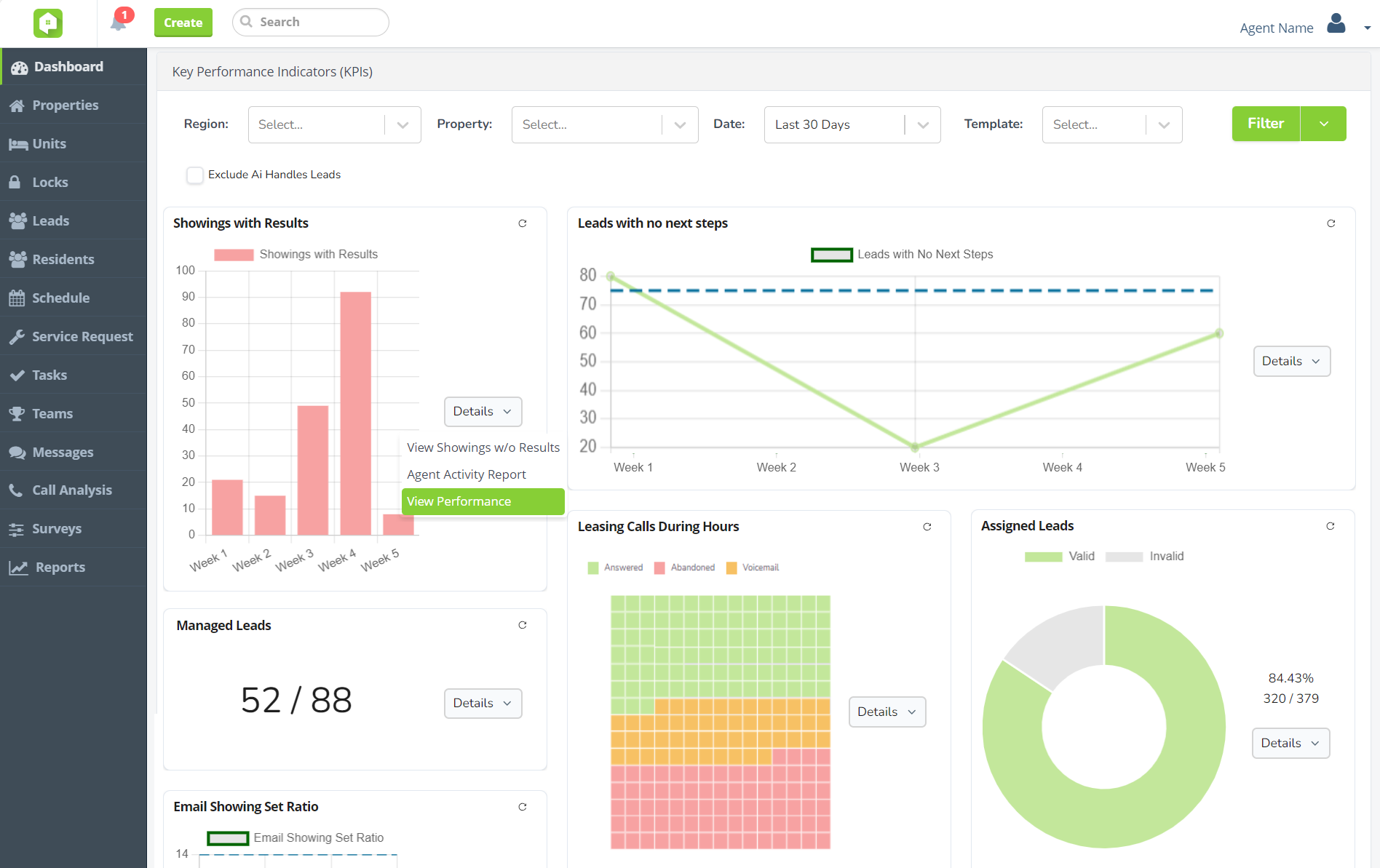
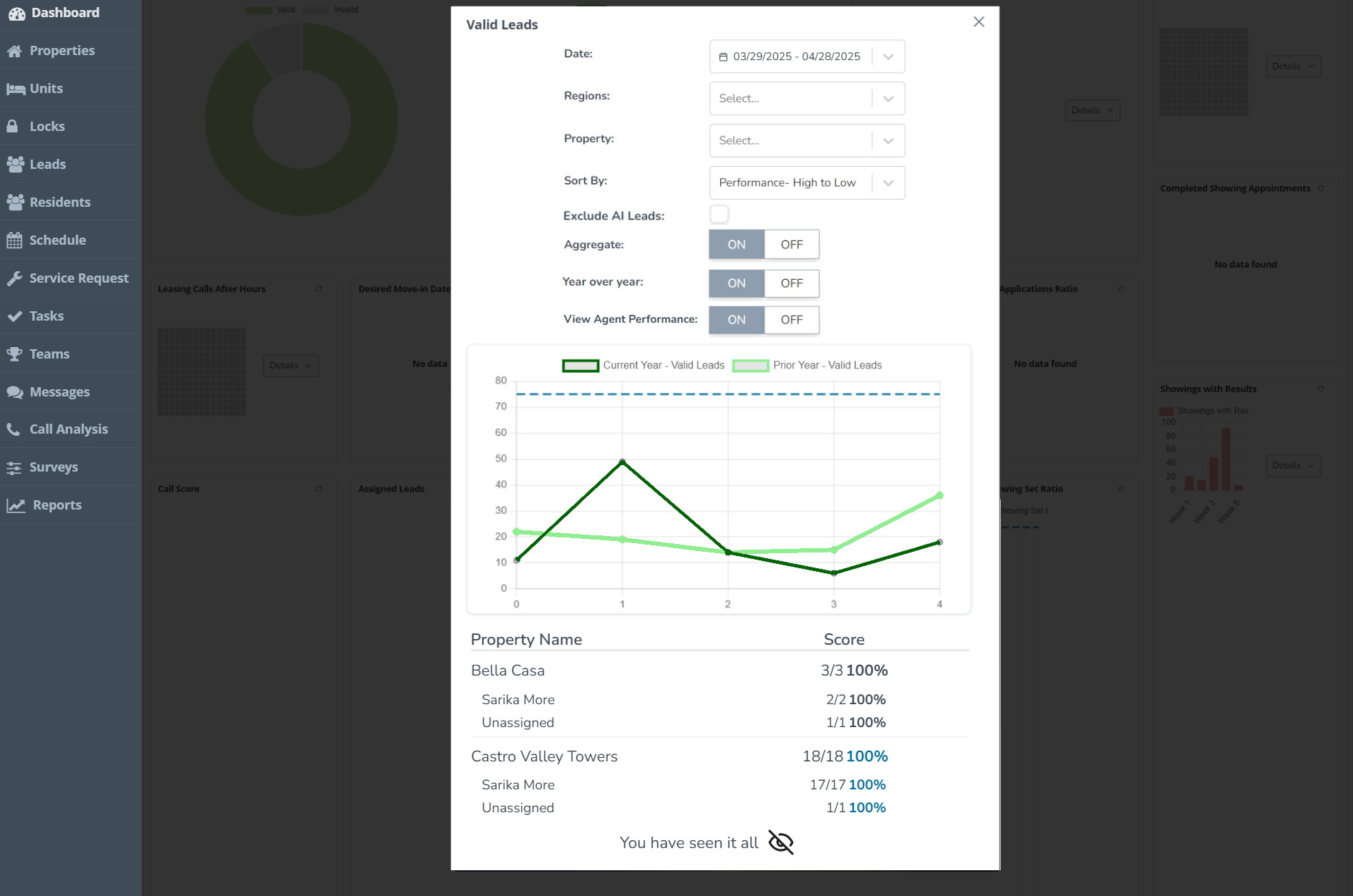
Same KPIs, new UI! Approved users will now see the new and improved graphs and charts used for Key Performance Indicators (KPIs) on the Anyone Home Dashboard, with new property-performance breakdowns and fully customizable to fit each user type’s needs.
The existing KPI Dashboard will be replaced with our updated features in upcoming sprints. To take part in testing the New KPI Dashboard, reach out to your Anyone Home account representative or to Anyone Home Support.
New KPI graphs and charts
Property performance breakdowns
Next Release Date:
December 2, 2025
Future Releases
AI Voice
Leasing Voice AI: A new AI property consultant will soon be available through Anyone Home leasing services, replacing IVRs and able to handle leasing calls from start to finish. Reach out to your Anyone Home account representative to start BETA testing today!
CRM
Global Transition to New KPI Dashboard: Changes are coming the Anyone Home KPIs, with all clients transitioning to the new KPI Dashboard. Get started today by speaking with your Anyone Home account representative.
Property Portfolios: Keep an eye out for the release of Portfolios, a more flexible grouping option that will enhance how “regions” work within Anyone Home.
Trigger Playbook Refresh: To make managing automated events and communications easier and more accessible, we’re redesigning the UI surrounding the trigger playbook inside Anyone Home CRM.